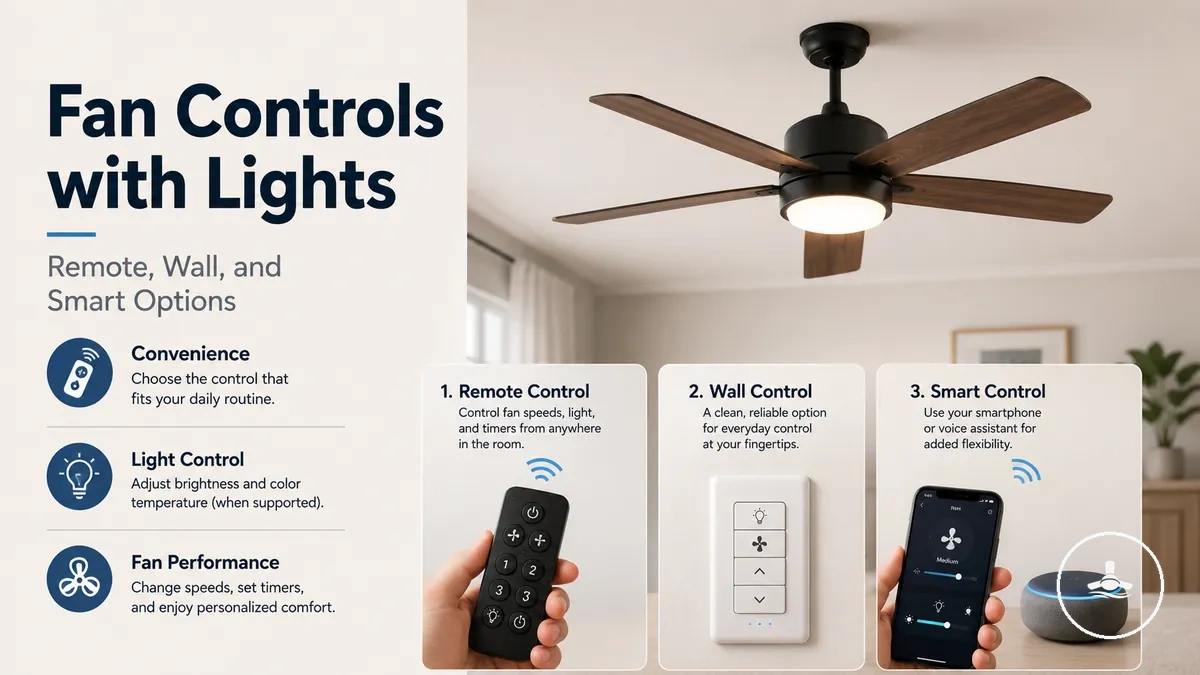
Remote, Wall, and Smart Controls for Ceiling Fans with Lights
Choose the control method by everyday access and system compatibility: use a remote when portable room control matters and the receiver or built-in module supports it, a wall control when a fixed switch point is preferred and the wiring/controller are compatible, or smart control when app, voice, or scheduling functions are useful and the fan supports the required smart system. Separate fan/light control and dimming require compatible channels and light/control hardware; the control interface alone cannot add unsupported airflow or lighting capability.
Choose the control path to investigate first
Select the access style you want, then mark any functions that are essential. The result identifies the most suitable control path and the compatibility checks that still need to be confirmed for the specific fan.
How to use the result: the suggested path is a starting point, not a compatibility guarantee. Confirm the receiver or wiring, motor/control architecture, light channel, and any dimming or smart-module requirements before changing the control system.
Start with the access method you want, then verify the complete control path from the interface to the receiver or wiring, motor control, and light module. This prevents features such as dimming, independent fan/light operation, or smart access from being assumed merely because a remote, wall control, or app displays the corresponding function.
How Controls Affect Fan Speed, Light Output, and Dimming
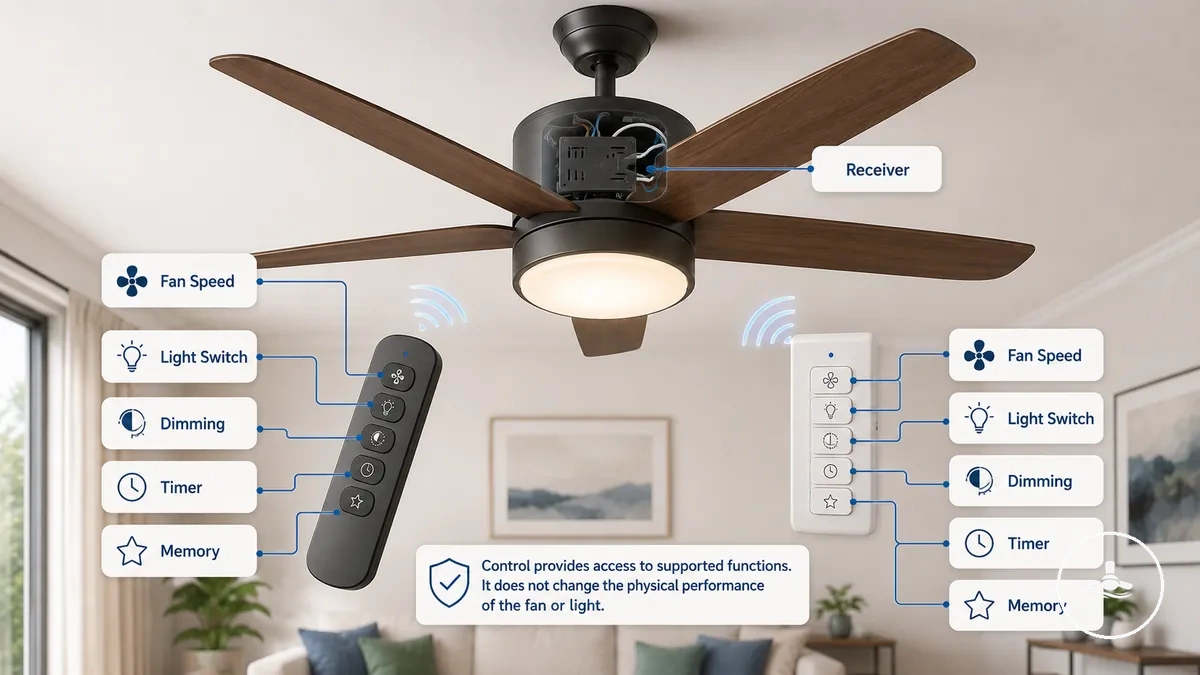
Controls determine how supported fan and light functions are accessed; they do not by themselves increase airflow capacity or improve the light source. Fan speed, light switching, dimming, timers, memory, and remote access only work to the extent that the motor, receiver/control board, wiring, and light system support them.
The diagram shows the relationship between the control interface and the fan/light functions. The table then closes the main function-to-support relationship so each feature can be checked separately.
| Function | What the control changes | Support or limitation to verify |
|---|---|---|
| Fan speed | Selects the speed settings the fan system already supports. | Motor, receiver/control board, and interface must support those settings; a controller does not increase the fan's maximum airflow capability. |
| Light on/off | Switches the available light channel. | Independent light control requires a separate supported light channel in the control path. |
| Dimming | Adjusts supported light brightness. | The light source or LED driver and the receiver/control path must all support dimming. |
| Timer | Starts or stops supported operation on a schedule. | A timer function must be implemented by the remote, module, app, or control system. |
| Memory | Restores a supported previous fan or light setting when the system's memory feature is used. | Memory is model-dependent and must be implemented by the receiver or control module; power-off behaviour can vary by system. |
| Remote or smart access | Changes where and how commands are issued. | A compatible receiver/module and, for network features, the required connection path are needed; access method does not add unsupported motor or light functions. |
Speed controls select supported operating levels rather than increasing the fan's designed airflow capability. For the difference between control settings and airflow performance, see speed and airflow control.
Dimming is a separate compatibility relation: the light source or LED driver and the receiver/control path must support brightness adjustment. The control method changes how dimming is accessed; it does not make a non-dimmable light system dimmable. See dimming and lighting control for the lighting-specific limits.
Remote, Wall, and Smart Control Types
Remote, wall, and smart control are three access paths for operating a ceiling fan with light. The core difference is where commands originate and what hardware must carry them: a handheld remote normally relies on a compatible receiver/module, a wall control relies on suitable wiring and control hardware, and smart control relies on built-in or compatible smart electronics plus any network or hub the system requires.
Compare the access method and the compatibility dependency together. Dimming, fan speed, independent fan/light channels, and smart functions remain model- and system-dependent rather than guaranteed by the control type itself.
| Control type | Access method | Main compatibility dependency | Best fit when | Key limitation to check |
|---|---|---|---|---|
| Remote control | Handheld controller | Matching receiver or built-in control module | Portable access from different positions matters. | Available speed, light, dimming, pairing, and replacement options vary by system. |
| Wall control | Fixed wall switch or in-wall controller | Wiring plus motor/load and controller compatibility | A permanent, always-located control point is preferred. | Existing wiring and the fan's control architecture can limit the functions available at the wall. |
| Smart control | App, voice, automation, or compatible smart wall control | Built-in smart support or a compatible module/receiver; network or hub when required | Connected access, routines, voice control, or scheduling are useful. | Connected features can depend on network, account, hub, or module availability; local fallback should be checked. |
No control type is universally best. Choose the access method that matches daily use, then confirm the specific receiver, wiring, motor/control architecture, light functions, and fallback operation required by that choice.
Remote Controls and Receiver-Based Operation
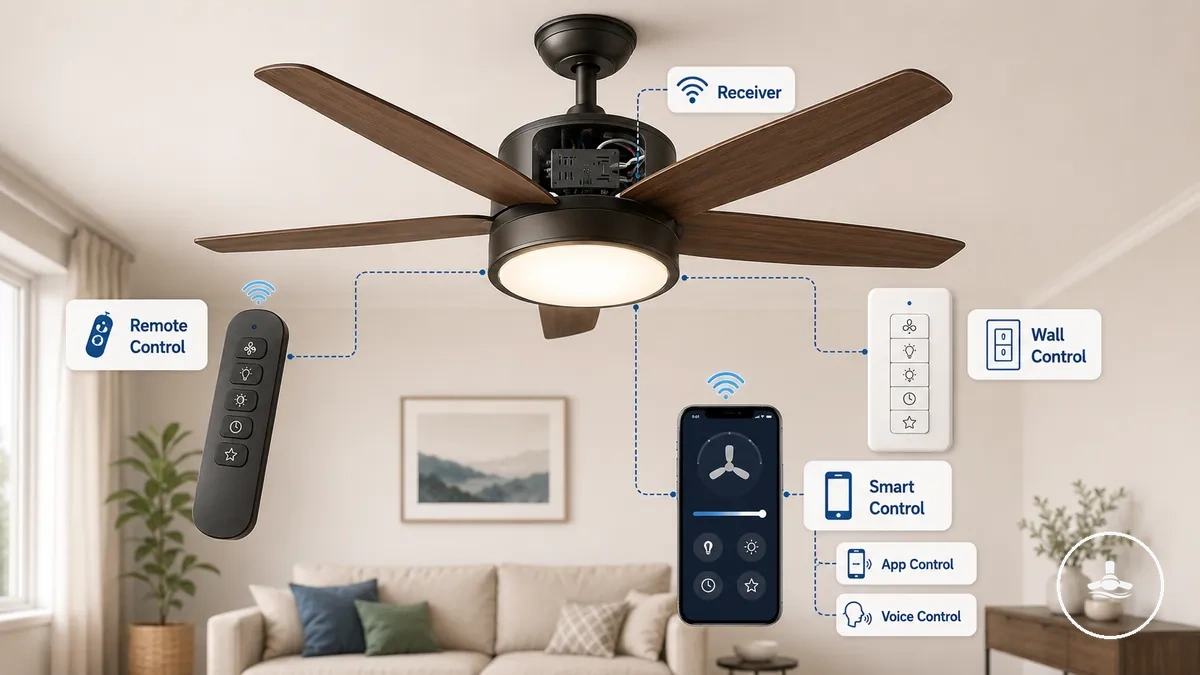
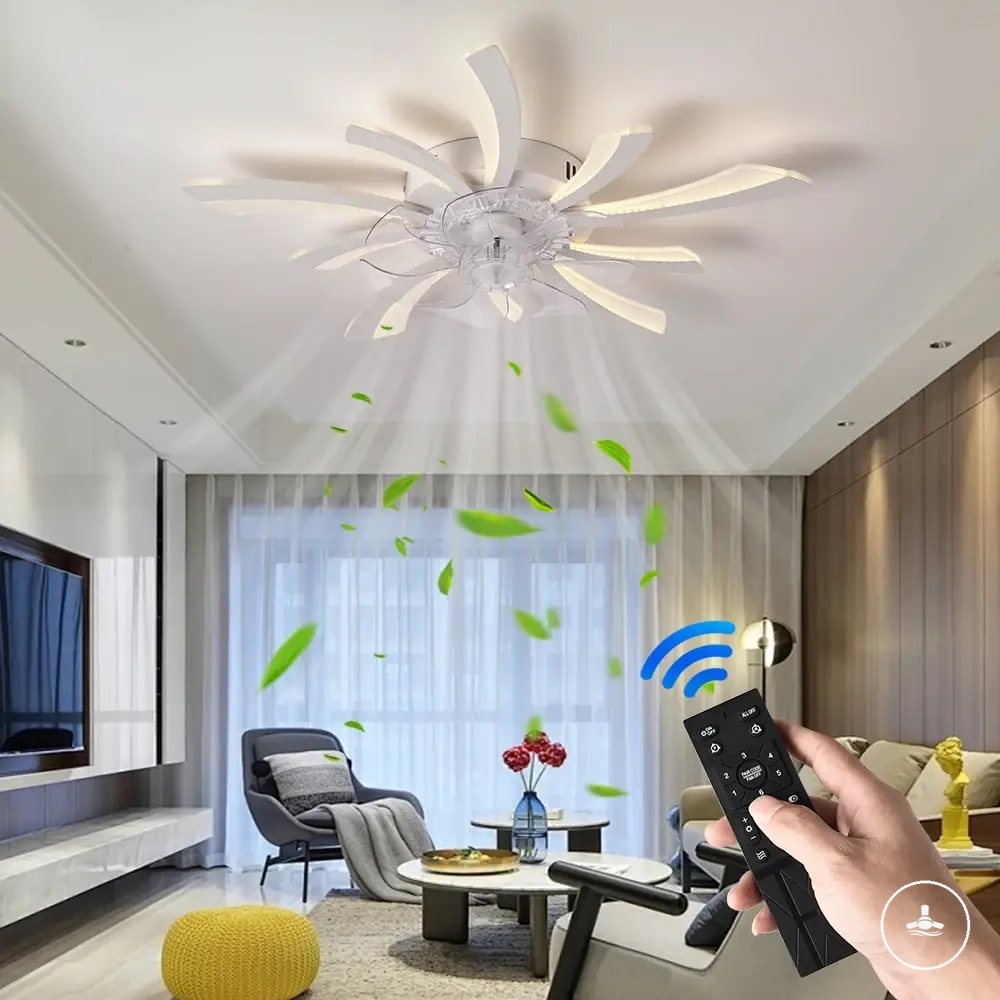
Remote control operation usually follows a simple path: handheld command → compatible receiver or built-in module → supported fan or light function. The receiver interprets the command, so the available speed, light, dimming, timer, and memory functions are limited to what the fan's control system implements.
The illustration shows this communication path before the fan or light responds.
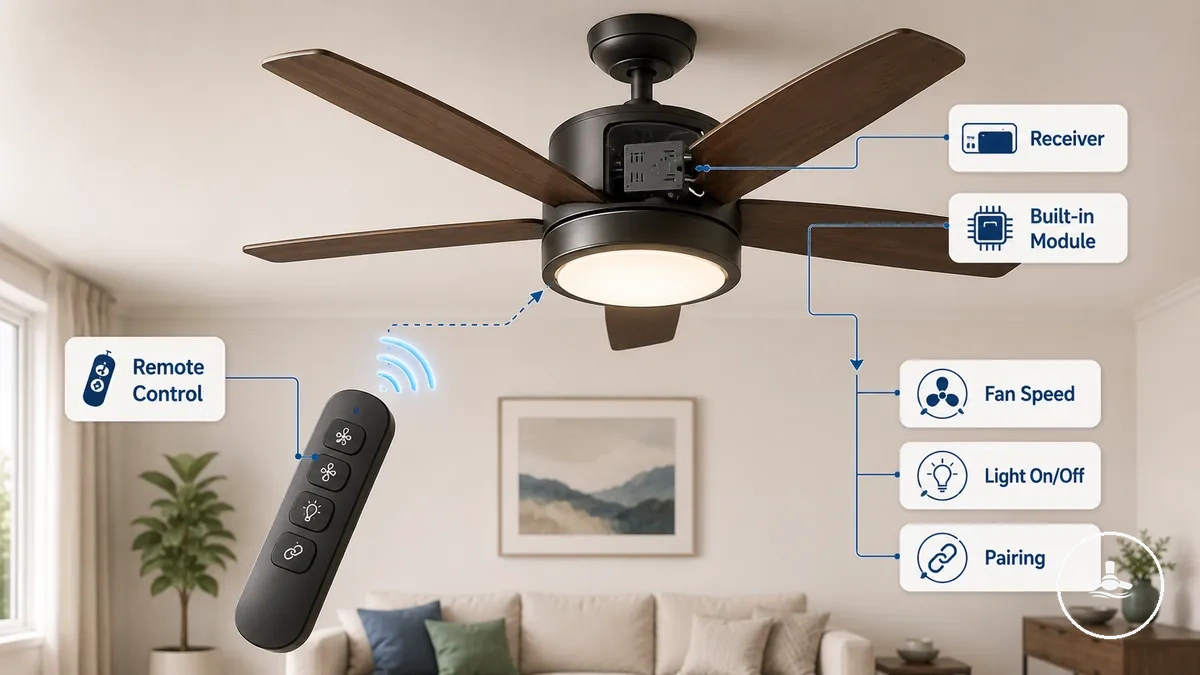
Remote-control features should be checked function by function:
- Fan speed: Buttons may select supported fan speed settings.
- Light on/off: A dedicated button may control the light independently when separate control channels are supported.
- Dimming: Dimming buttons work only when the receiver, light, and built-in module support the feature.
- Timer: A timer function may be available on compatible remote controls.
- Pairing and battery: The handset must pair by the method supported by the receiver, and battery condition can affect handheld operation; a lost remote requires a replacement that is compatible with the receiver or control system.
A replacement remote should not be treated as universal even when its buttons look similar. Compatibility depends on the receiver/control protocol and the functions exposed by that fan system; if separate fan and light channels are supported, a compatible paired remote can operate them independently.
Wall Switches and In-Wall Fan-Light Controls
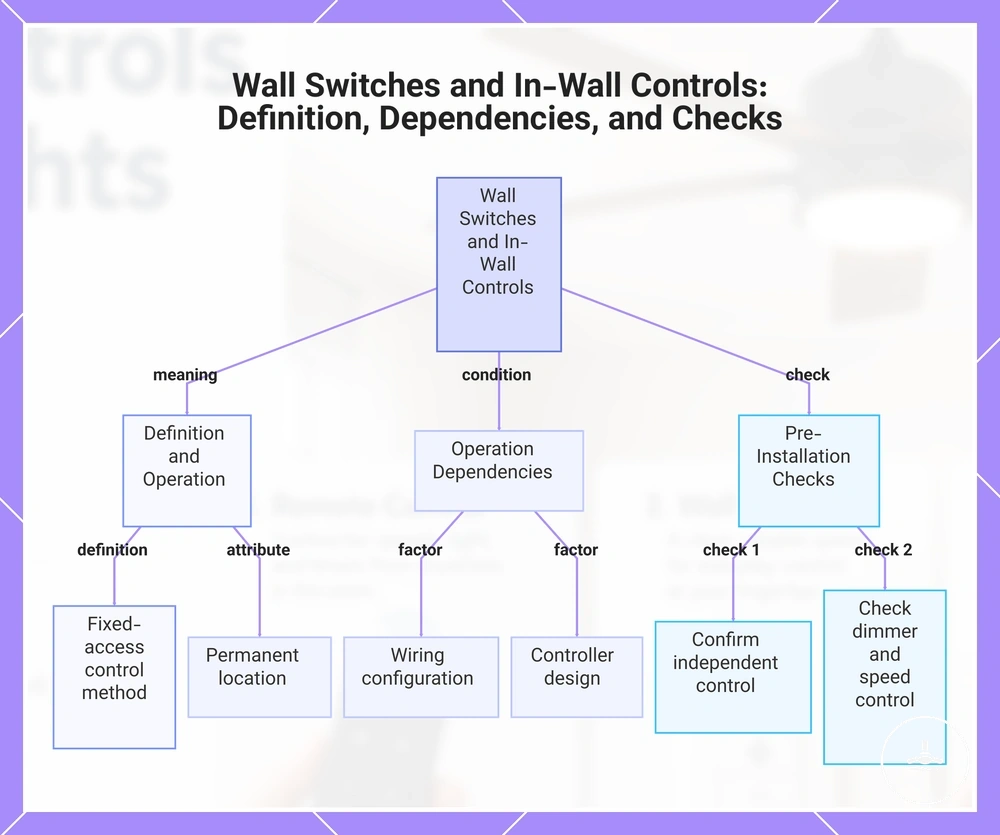
Wall control is a fixed-access method that can operate the fan, the light, or both, depending on the wiring and controller design. A separate switch arrangement may provide independent fan and light operation, while a combined in-wall control can provide multiple functions through one wall location when the fan system supports them.
Wall-control compatibility is not just a switch-shape question. A standard light dimmer should not be substituted for a fan-speed controller; the fan control must be suitable for the motor/control architecture, while light dimming requires a compatible dimmable light system. Some in-wall or smart controls also have model-specific neutral, load, or conductor requirements.
- Confirm whether a separate switch controls the fan and the light independently.
- Check whether dimmer compatibility is supported before using light dimming.
- Verify that the wall control supports the required fan speed control function.
- Review any neutral or load requirements that apply to the selected in-wall control.
- Use a qualified electrician when electrical work or controller replacement is required.
Before choosing an in-wall control, match it to the fan system and supported functions rather than assuming broad compatibility. The dedicated wiring requirements for wall controls page covers wiring details beyond this control-choice overview.
The chart groups the wall-control decision into the wiring path, controller/motor match, and fan-light function checks that need to be confirmed before installation.
Smart Controls for App, Wi-Fi, and Voice Operation
Smart control adds app, automation, voice, or network-based access when the fan system supports those functions. Smart capability may be built into the fan, provided by a compatible receiver or module, or delivered through a compatible smart wall control; smart connectivity does not by itself create fan-speed, dimming, or independent-channel support.
Check each connected function against the control architecture:
- App control: May allow operation of supported fan and light functions from a compatible mobile app.
- Voice control: May be available through supported voice assistant integration.
- Scheduling: Can provide timed or automated operation when supported.
- Remote access: May depend on Wi-Fi connectivity, a compatible receiver, smart module, or hub.
Connected features may depend on the network, hub, account, or module used by the specific system. Local fallback through a wall control or remote can remain available only when the fan design provides that fallback, so it should be verified rather than assumed.
Separate Fan and Light Control Requirements
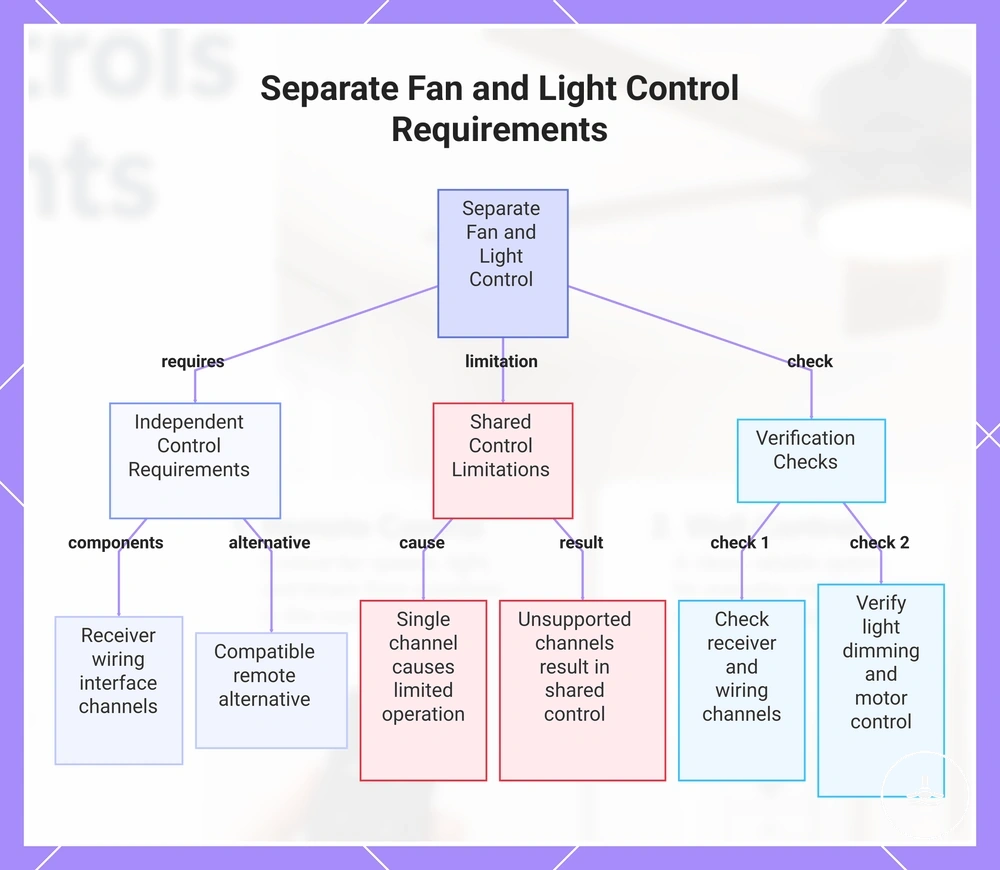
Separate fan and light control requires the control path to expose independent fan and light channels. If the relevant receiver, wiring path, controller, or light channel only carries shared control, independent operation can be limited or unavailable.
With conventional hard-wired wall switching, independent fan and light switching generally requires separate control paths to the fan and light. A compatible receiver or integrated control system can instead separate fan and light functions electronically while a wall switch supplies shared power. Dimming remains an additional requirement: the light system and its control channel must both support brightness adjustment.
- Confirm that the receiver supports independent fan and light channels.
- Check whether the wall wiring and switch wiring support separate or shared control.
- Verify that the light system supports the required dimming capability, if needed.
- Confirm that the motor control supports independent fan speed operation.
- Review whether the selected switch or control interface supports separate fan and light control.
Think of compatibility as a chain: fan/motor control → receiver or wiring → light system → user interface. If one required link does not support independent channels, separate control cannot be assumed.
The chart summarises the component support that must align for independent fan and light operation.
Speed Control, Light Switching, and Dimming Support
Speed control, light switching, and dimming are separate capabilities, so each needs its own compatibility check. The receiver/control channel, motor/control architecture, light source or LED driver, and user interface can each limit a different function.
Speed control selects supported fan speeds; light switching controls the available light channel; dimming changes brightness only when the light system and control path are both dimmable. The table separates the required support and the failure point for each function.
| Function | Required support | Common limitation | Decision cue |
|---|---|---|---|
| Speed control | Motor support, receiver channel, and compatible control interface | The available speed steps or variable-speed behaviour are system-specific | Confirm supported speed settings |
| Light switching | Light channel and compatible control interface | Shared control channels may limit independent operation | Check whether on/off switching is separate from fan control |
| Dimming support | Dimmable light source or LED driver, plus a supported receiver/control channel | Brightness control may be unsupported even when on/off switching works | Verify the complete dimming path before expecting brightness adjustment |
A fan can therefore support light on/off switching while dimming remains unavailable. That outcome reflects the light and control-path compatibility, not whether the user operates the fan by remote, wall control, or smart interface.
Receiver, Switch, and Motor Compatibility
Receiver, switch, motor, and light compatibility is a matching problem between the accessory and the fan's control architecture. An upgrade should be evaluated against the specific motor/control design and the functions that must pass through the receiver, wall control, and light channel.
AC and DC fan systems can use different control approaches, and integrated electronic controls can restrict generic accessory choices. Check the component relationships side by side rather than assuming that a receiver or wall control is interchangeable across fan designs.
The following matrix shows what must be identified before choosing a control accessory or upgrade.
| Component | Identify or verify | Required match and practical implication |
|---|---|---|
| Motor/control architecture | Whether the fan uses an AC or DC motor and whether control electronics are integrated. | Use a control method intended for that motor and control design; a generic speed control should not be assumed compatible. |
| Receiver or module | Compatible system or receiver plus the fan/light channels it exposes. | It must support the speed, light, independent-channel, dimming, or smart functions you intend to use. |
| Wall control | Fan-control function, electrical rating, and wiring requirements. | A standard light dimmer is not a substitute for a fan-speed controller; neutral, load, and conductor requirements are model-specific. |
| Light system | On/off capability versus dimmable light source or LED driver. | Dimming works only when both the light system and the control path support brightness adjustment. |
| Manufacturer constraints | Approved accessories, receiver pairing, and integrated-control limitations. | An integrated fan control may require a factory-compatible accessory rather than a generic add-on controller. |
Remote versus Wall Control Trade-offs
Remote and wall controls solve different access problems. Remote control prioritises portable access; wall control prioritises a permanent access point. The better fit depends on room use, receiver or wiring constraints, and whether a misplaced handheld controller would be a practical problem.
Dimming and speed capability should not decide this comparison by themselves because either access method can be limited by the underlying motor, receiver, light system, and controller. Use the same factors across both options.
| Factor | Remote control | Wall control | Decision signal |
|---|---|---|---|
| Access | Portable handheld access | Fixed switch access | Choose based on everyday access preferences. |
| Installation dependency | May rely on a compatible receiver | May depend on existing wiring | Check the fan system before changing the control method. |
| Household use | Convenient from different locations | Predictable access from one location | Match the control style to how the room is used. |
| Dimming support | Depends on compatible components | Depends on compatible components | Verify support instead of assuming it is available. |
| Lost-control risk | A lost remote may reduce access | Fixed switch remains in place | Consider whether portable or permanent access is more important. |
| Upgrade flexibility | May support receiver-based upgrades | May depend on wiring and compatible controls | Review compatibility before upgrading. |
A bedroom may favour handheld access from different positions, while a shared room may benefit from a fixed wall control that anyone can find. In a rental, the existing fan and wiring can narrow the practical options. Choose the access pattern first, then verify compatibility before changing the control method.
Smart Control Upgrade Considerations
Smart control is worth considering when connected access solves a real use-case and the fan system is compatible. An upgrade may add app control, voice control, scheduling, or remote connected access, but its value comes from those access functions rather than from improved fan airflow or light output.
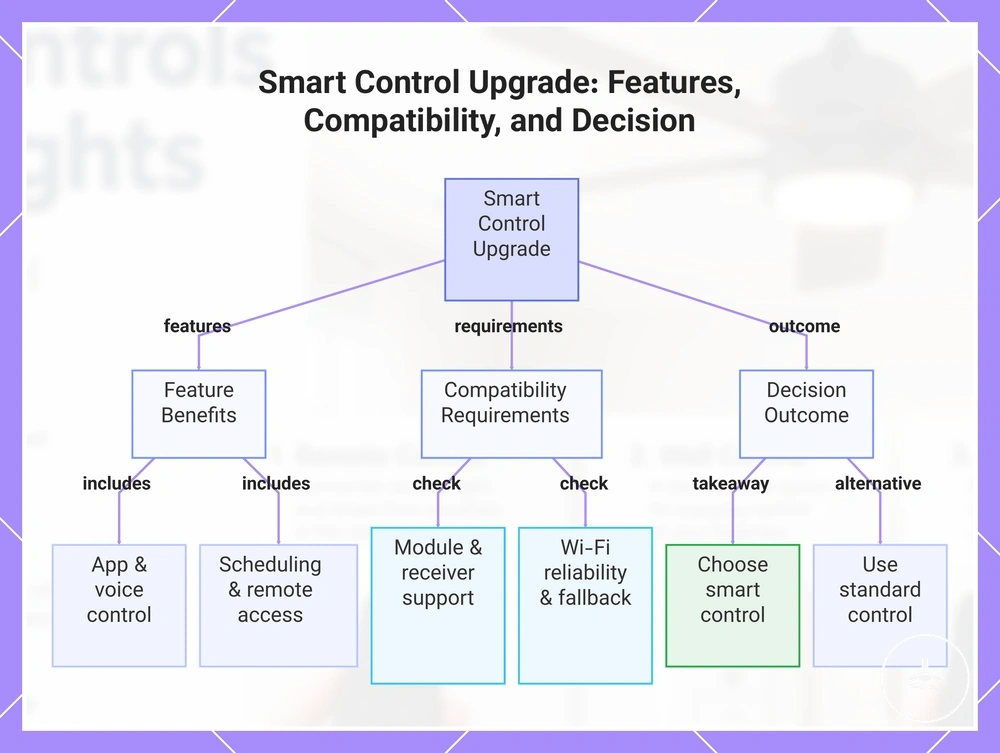
Network-based functions depend on the connection path used by the specific system, while app or account dependency can affect connected access. Before upgrading, confirm a compatible built-in system, receiver, module, or wall control and check how local fallback works if connected features are unavailable.
Use the checklist to verify the upgrade conditions before comparing product examples.
- Decide whether app control is needed for everyday use.
- Confirm whether voice control supports the intended setup.
- Verify compatible module or receiver support before upgrading.
- Consider whether Wi-Fi reliability is suitable for connected features.
- Check that fallback control remains available if network access is interrupted.
- Confirm whether dimming or fan speed support matches the available control functions.
Smart control is a good fit when
- App, voice, scheduling, or remote connected access solves a real everyday access need.
- A compatible built-in system, receiver, or smart module is confirmed.
- Required fan speed, light, and dimming functions are supported through the smart path.
- A practical local fallback remains available if connected features are unavailable.
A standard control may be simpler when
- A handheld remote or fixed wall control already covers everyday operation.
- Automation or voice control adds little practical value for the room.
- Smart-module compatibility is uncertain or would require an unnecessary control-system change.
- Reducing network or account dependency is more important than connected access.
The product examples below are referral options to inspect after the compatibility checks above. A product name or listing label does not guarantee that it will work with every fan, receiver, motor type, light channel, or wiring setup.
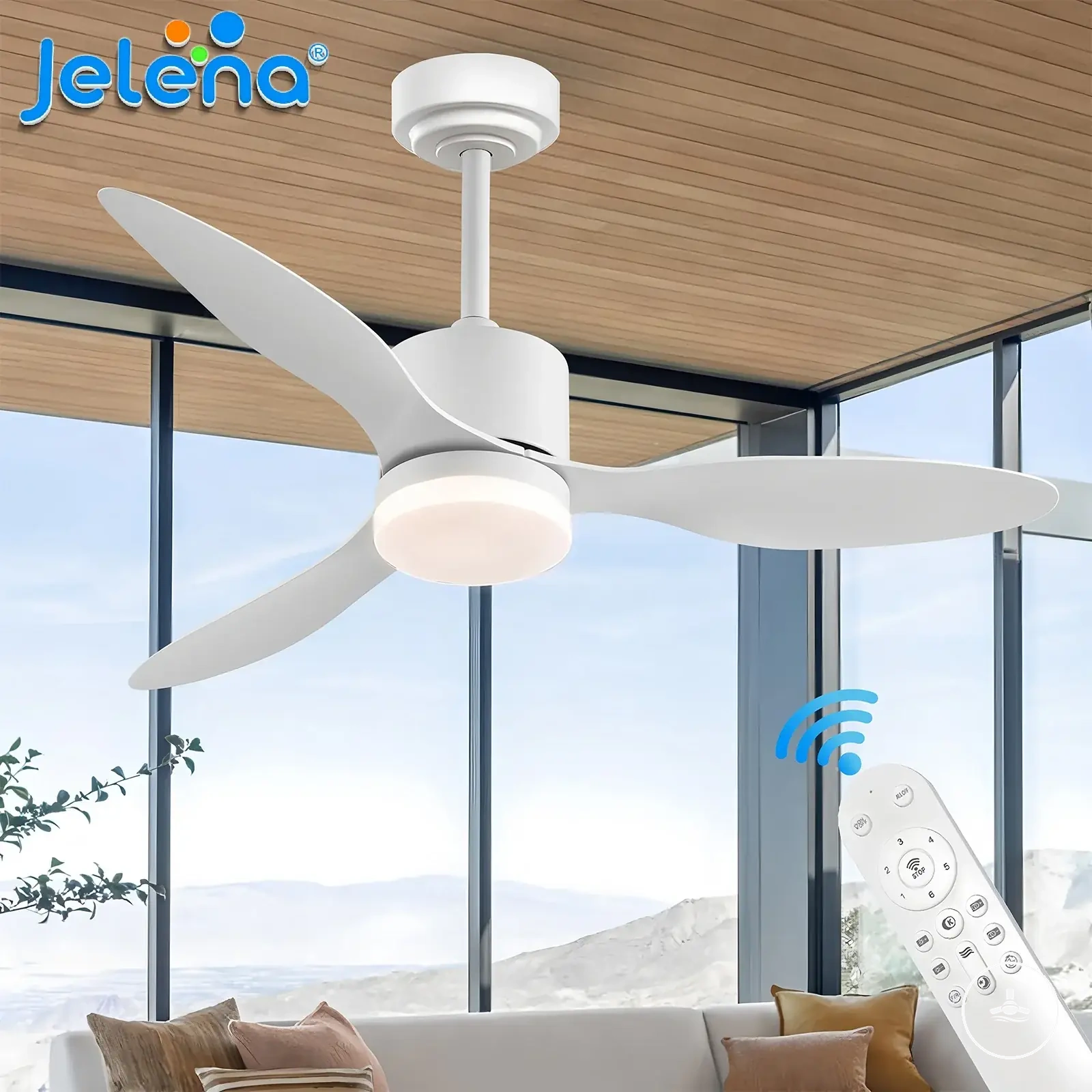
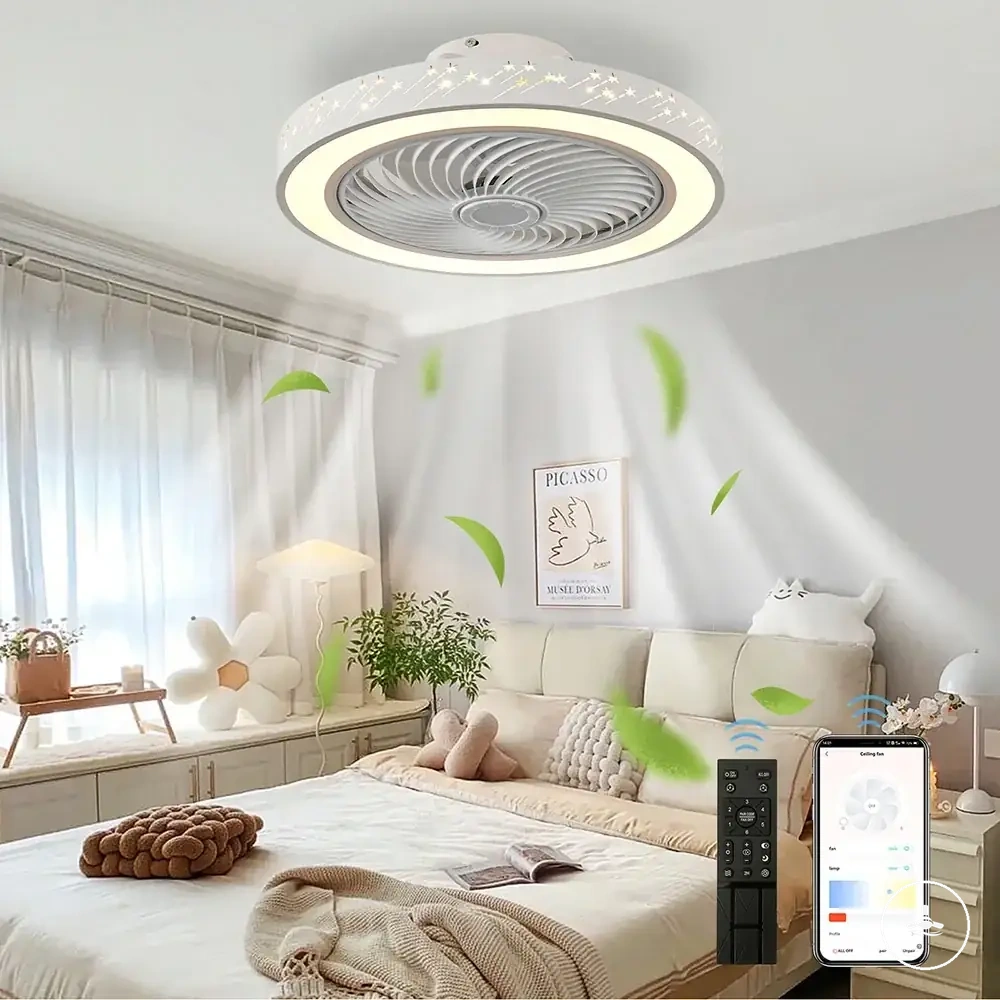
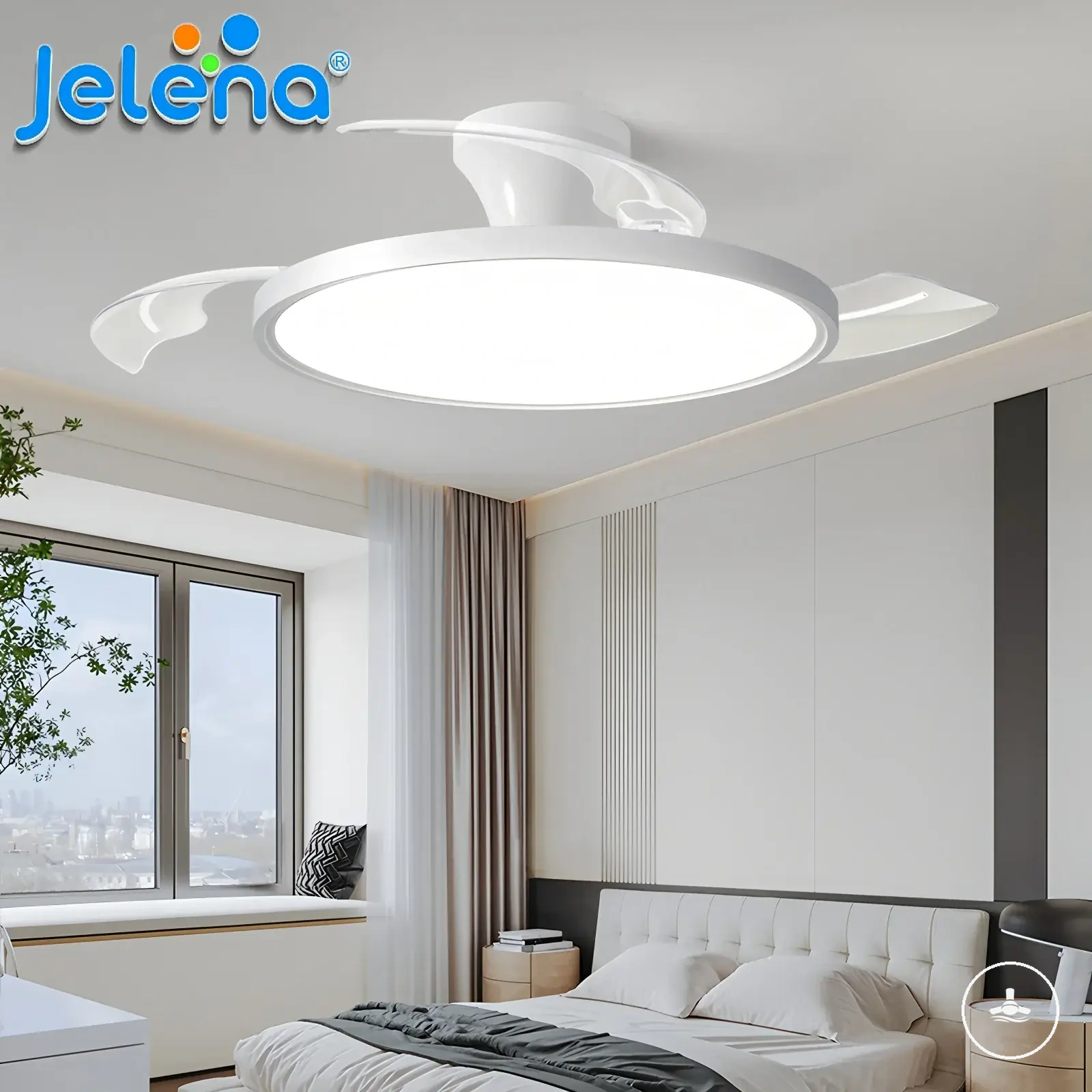
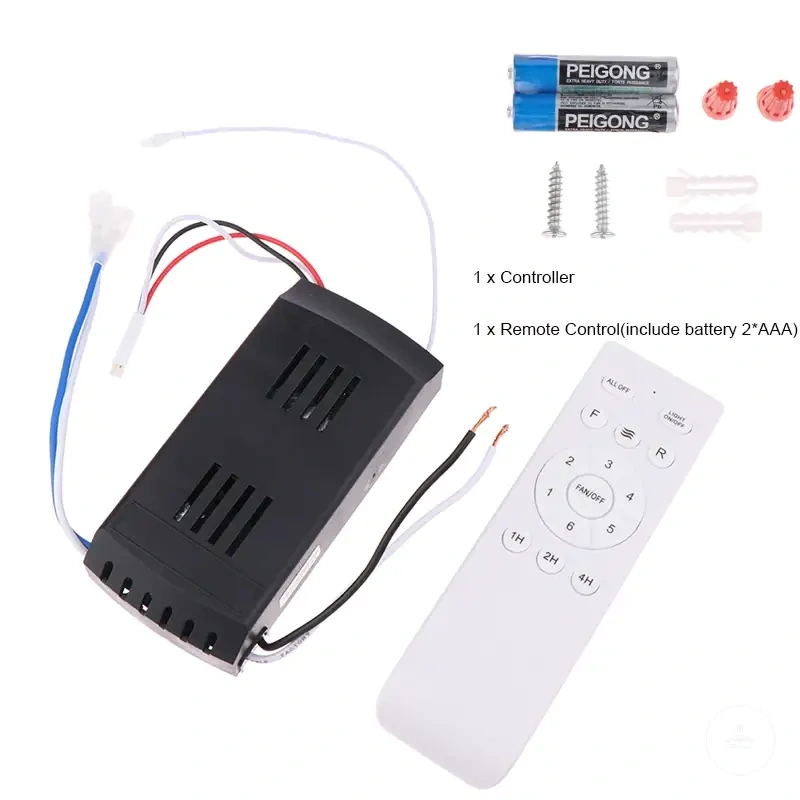
The chart separates smart-feature benefits from the compatibility and fallback checks that should be completed before an upgrade.
Wiring and Installation Limits for Control Setups
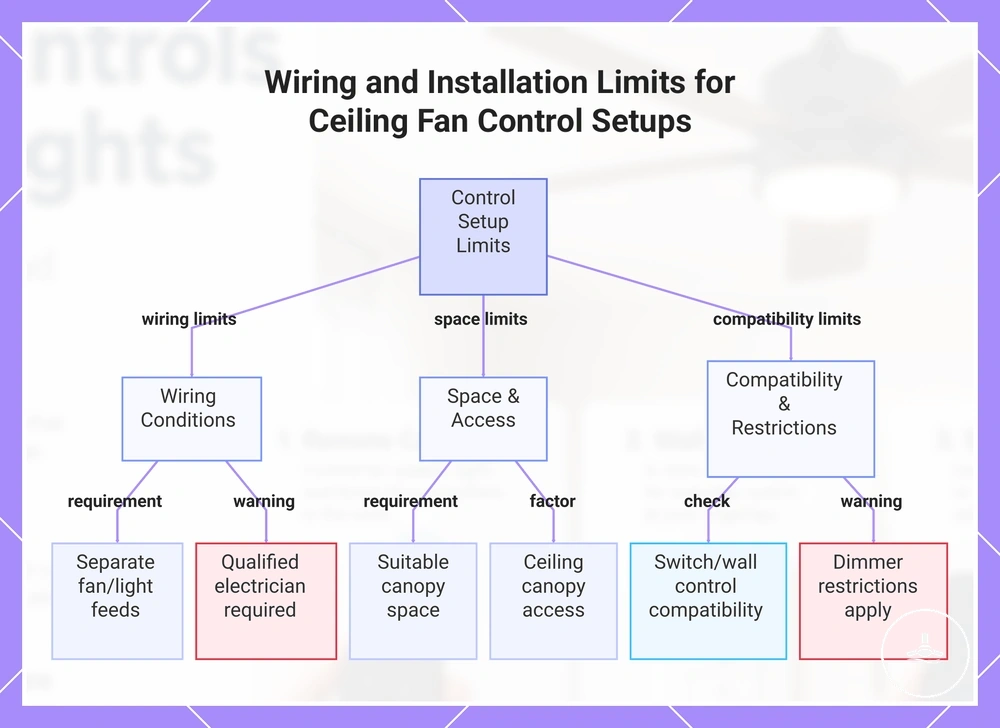
Wiring and installation limits determine which control setup is realistic for a ceiling fan with light. Existing switch wiring, ceiling-canopy space, receiver placement, and motor/light compatibility can limit remote, wall, dimmer, or smart-control options.
For direct wall switching, independent fan and light control may require separate supported control paths; receiver-based systems can separate functions electronically when designed to do so. A remote receiver also needs suitable canopy space and access. Keep these checks at the decision level and use a qualified electrician when the choice requires wiring changes or electrical work.
- Check whether the existing wiring supports the intended control setup.
- Confirm whether the control path supports separate fan and light operation when independent control is needed.
- Review whether there is suitable space for a remote receiver in the ceiling canopy.
- Consider whether ceiling canopy access affects the practicality of the control setup.
- Verify that the switch or wall control is compatible with the fan and light functions.
- Check that fan-speed control is suitable for the motor and that any light dimming is supported by the light/control path.
- Use a qualified electrician when wiring changes or electrical review are required.
This section identifies constraints that can change the practical control choice; it is not a wiring procedure. When the decision depends on actual conductor arrangements, electrical ratings, or in-wall changes, follow the fan/control instructions and use qualified electrical help.
The chart groups the main installation constraints into existing wiring, canopy/receiver space, and component compatibility.
Control Features to Compare Before Choosing
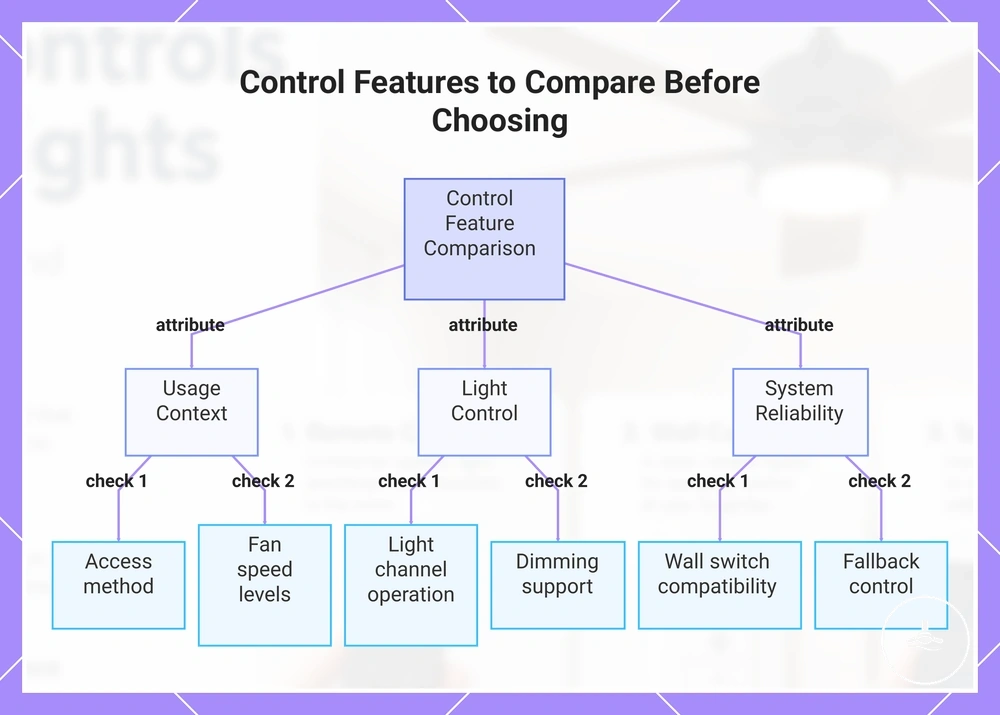
Compare control options using the same decision criteria: access method, fan-speed support, independent light control, dimming, receiver/wall compatibility, smart access, installation limits, and fallback operation. This keeps convenience and compatibility in the same decision instead of selecting a controller for one attractive feature.
Use the checklist as a final verification pass. Mark a feature as required, optional, unsupported, or still to be confirmed for the specific fan system before following a product listing.
- Choose the control method that matches how the room will be used.
- Confirm that the fan and control system provide the speed settings you actually need.
- Check whether the light channel supports the desired level of independent control.
- Verify the complete dimming path: light source or LED driver, receiver/control channel, and interface.
- Confirm whether a receiver is required and compatible with the fan.
- Check wall switch compatibility and any installation limits.
- Consider whether smart access is needed or optional.
- Ensure fallback control remains available if connected features cannot be used.
Room use changes the weighting of these criteria: a bedroom may prioritise portable access, a shared room may prioritise a predictable wall control, and a smart-home routine may prioritise connected access. Existing wiring and the fan's control architecture can override a preferred interface if the required compatibility is not present.
For broader category context, visit the ceiling fans with lights hub. For a wider selection framework beyond controls, see control features to compare.
These product examples can help compare control profiles, but listing names are not compatibility guarantees. Before following a listing, verify the motor/receiver match, independent fan/light channels if required, dimming support, smart-module requirements, and installation constraints.
The chart groups the final comparison into usage context, fan/light functions, system compatibility, and fallback control.