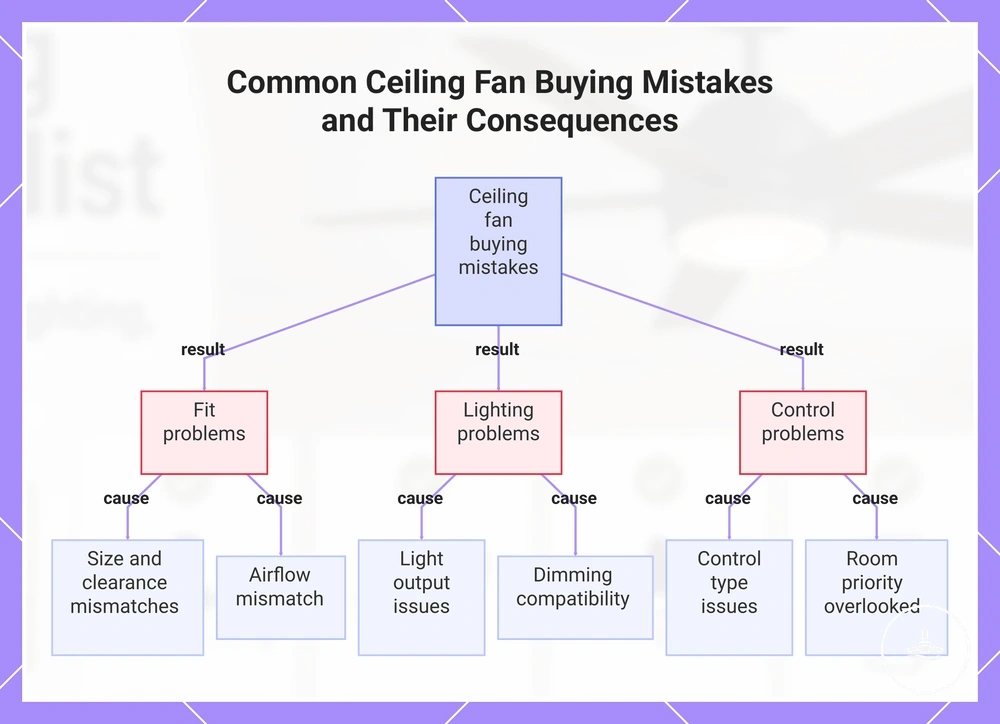
Ceiling fans with lights buying checklist
Start with physical fit: room dimensions, ceiling condition, mount type and clearance can rule an option in or out. Among fans that fit, compare airflow, lighting and control compatibility against the room’s main use, then use style and price as secondary filters.
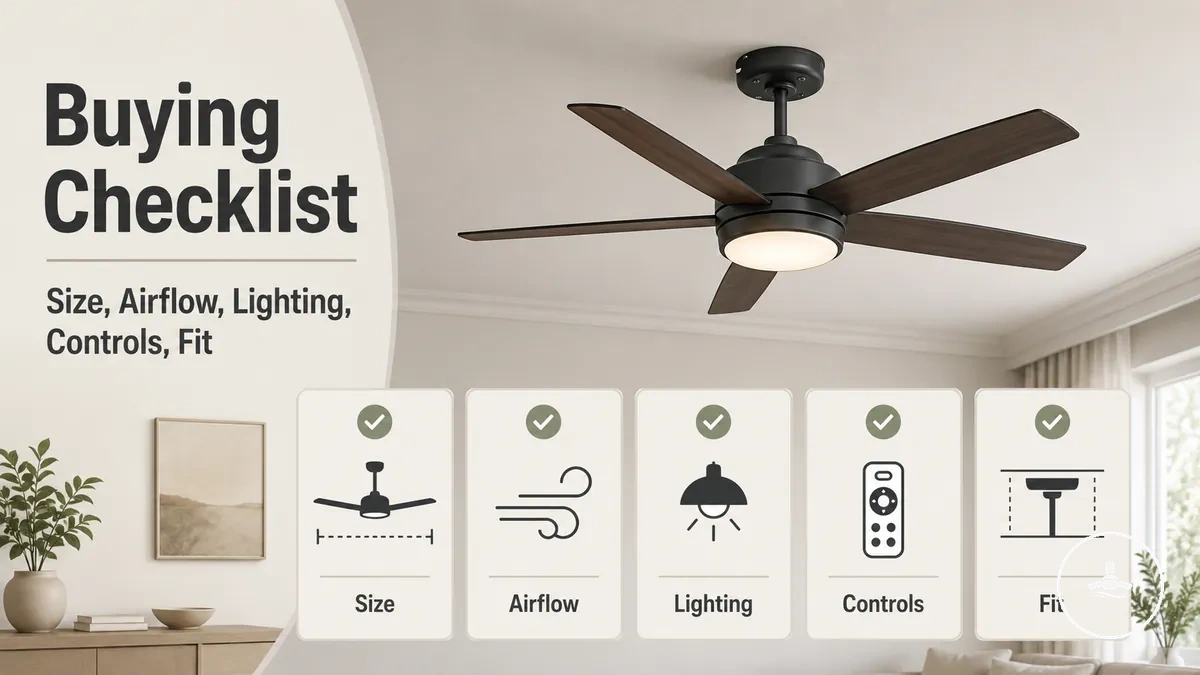
Build a ceiling-fan shortlist profile
Choose the room conditions that matter most. The result describes the type of fan-light profile to shortlist; it does not rank sellers, prices or live marketplace listings.
Default shortlist profile
- Fit: confirm room dimensions, ceiling condition, mount compatibility and manufacturer clearance requirements.
- Performance: compare airflow and speed range against the room’s comfort demand.
- Lighting: compare lumen output, colour temperature, light spread and dimming support.
- Controls: confirm the chosen control method is supported and provides the fan/light adjustment you need.
Decision rule: reject any option that fails physical fit or compatibility before comparing style, extras or price.
Use product-specific installation instructions to verify final clearances, ceiling-angle limits, compatible controls and light-system requirements.
A fan can be the right size yet still be a poor choice if its light is too deep for the ceiling, its airflow does not suit the room, or its controls do not match daily use. Use this ceiling fans with lights guide for the broader criteria, then use this page to turn those criteria into a shortlist.
Apply the checks in order: fit first, then airflow, lighting and controls, followed by style and value. Rejecting unsuitable physical or compatibility conditions early prevents a strong feature in one area from masking a weak fit elsewhere.
Core selection criteria for ceiling fans with lights
Start with the criteria that can disqualify an option: physical fit and compatibility. After those pass, compare airflow, lighting and controls against the room’s main job, then judge style and value.
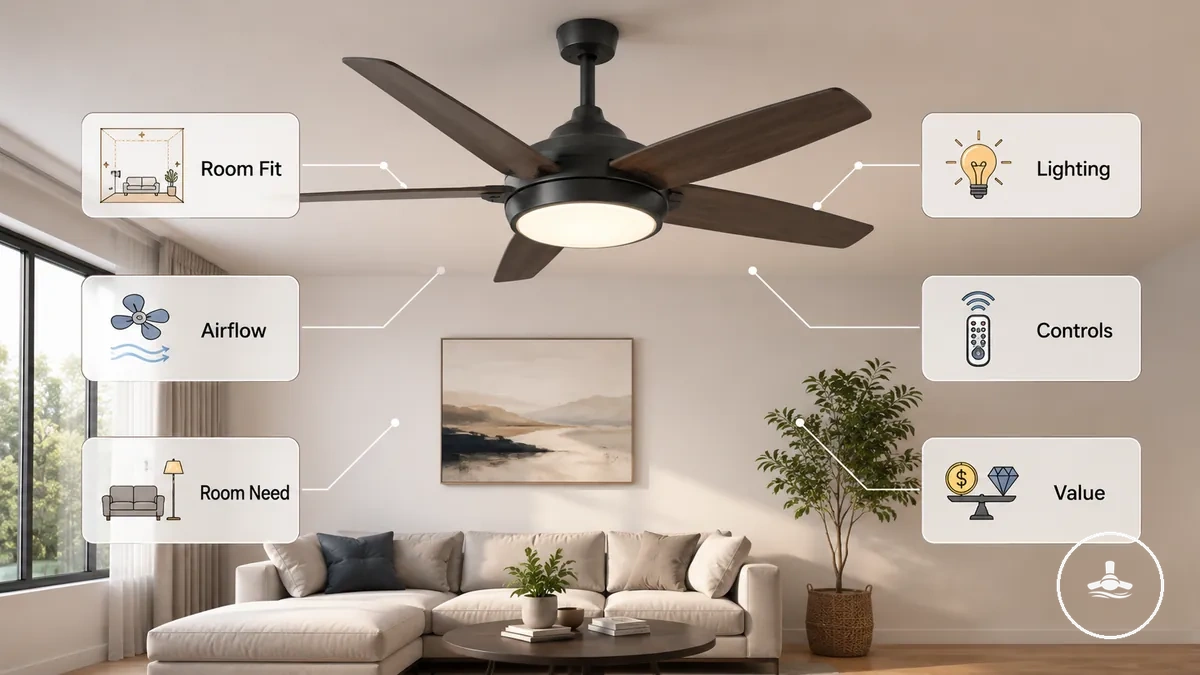
Room fit determines whether the fan-light combination can work in the space. Airflow affects comfort; lighting affects visibility and ambience; controls affect daily usability; and value depends on whether an added feature solves a real room need. A bedroom may weight low-disruption airflow and dimming more heavily, while a larger living area may place more weight on coverage and light output.
Use the matrix below to separate must-have filters from preferences. A preference should never rescue an option that fails fit, compatibility or the room’s main functional requirement.
Selection criteria matrix
| Criterion | Priority | Decision question | Shortlist rule |
|---|---|---|---|
| Room and ceiling fit | Must have | Does the blade span, mount profile, light depth and clearance suit the space? | Reject the option if the physical fit is unsuitable. |
| Airflow | Must meet room need | Does the airflow rating and usable speed range suit the room’s comfort demand? | Keep only options that can provide the required air movement without relying on appearance or blade count as a proxy. |
| Lighting | Must meet visibility need | Do lumen output, colour temperature, light spread and dimming suit the room? | Reject lighting systems that cannot deliver the required function or compatible dimming. |
| Controls | Must be compatible | Can the fan and light be adjusted in the way you expect each day? | Confirm supported remote, wall or smart control before purchase. |
| Style and finish | Preference | Does the fixture suit the room after functional requirements are met? | Use appearance to break ties between suitable options. |
| Value | Preference after fit | Does the extra cost solve a real airflow, lighting, control or maintenance need? | Pay for useful capability rather than feature count alone. |
Room size and ceiling fit checks
Physical fit is the first shortlist gate. Match the fan to the room dimensions, ceiling condition, mount type and available clearance before comparing extra features.
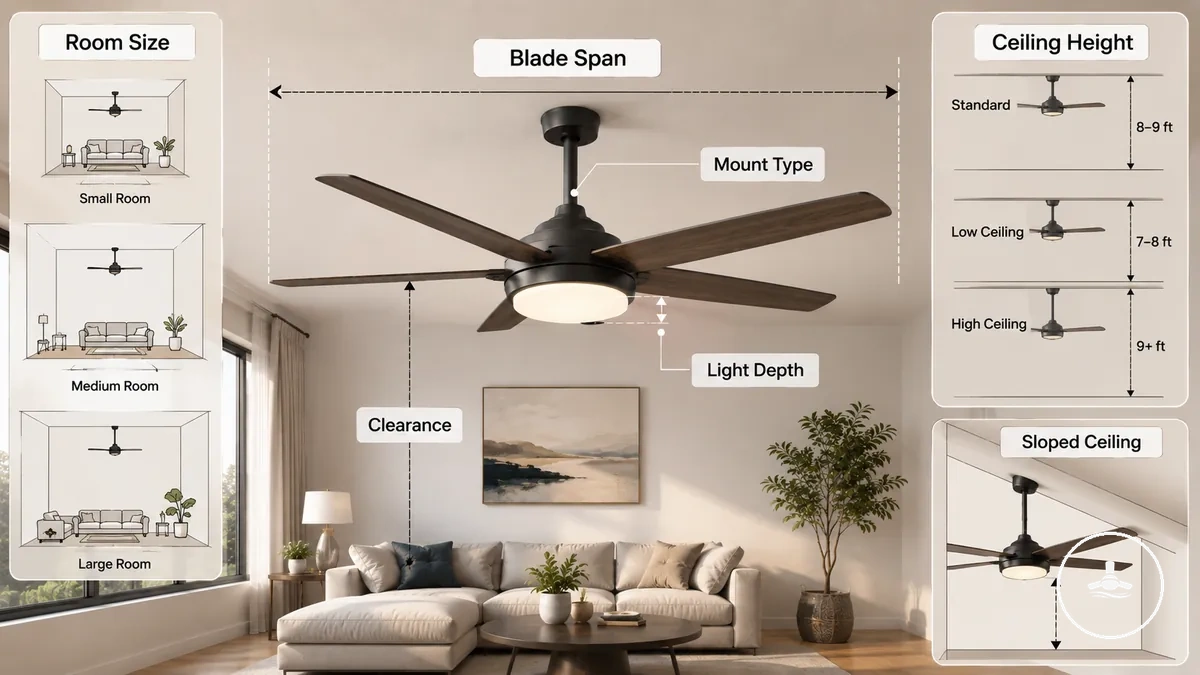
Room dimensions set the space a fan must serve, while blade span describes the fan’s physical sweep. An undersized fan can leave parts of the room with weaker air movement; an oversized fan can create poor physical or visual fit. Use room measurements and the manufacturer’s sizing guidance together rather than assuming blade span alone predicts airflow.
Ceiling height and shape affect mount choice, overall drop and clearance. A low ceiling may favour a low-profile design, while a sloped ceiling requires a fan and mounting system that explicitly support the ceiling angle. Check blade clearance, fixture depth and mounting compatibility together; if any one of these fails, remove that option from the shortlist.
Use this buying-stage compatibility checklist before comparing style, smart features or price.
- Measure the room: compare room dimensions with the fan maker’s stated sizing guidance.
- Check blade sweep: make sure the blade span physically suits the usable ceiling area.
- Check ceiling height: verify the installed fan and light can meet the maker’s required clearances.
- Match the mount: use a low-profile, standard or angled/downrod arrangement only when the fan supports that configuration.
- Check slope compatibility: do not assume every fan or canopy supports a sloped ceiling.
- Check total drop: review the fan body, light depth and any downrod together rather than as separate dimensions.
Blade span and room coverage
Blade span is a fit and coverage attribute, not an airflow rating. Match the fan’s physical sweep to the room and available ceiling area, then compare the actual airflow specification separately.
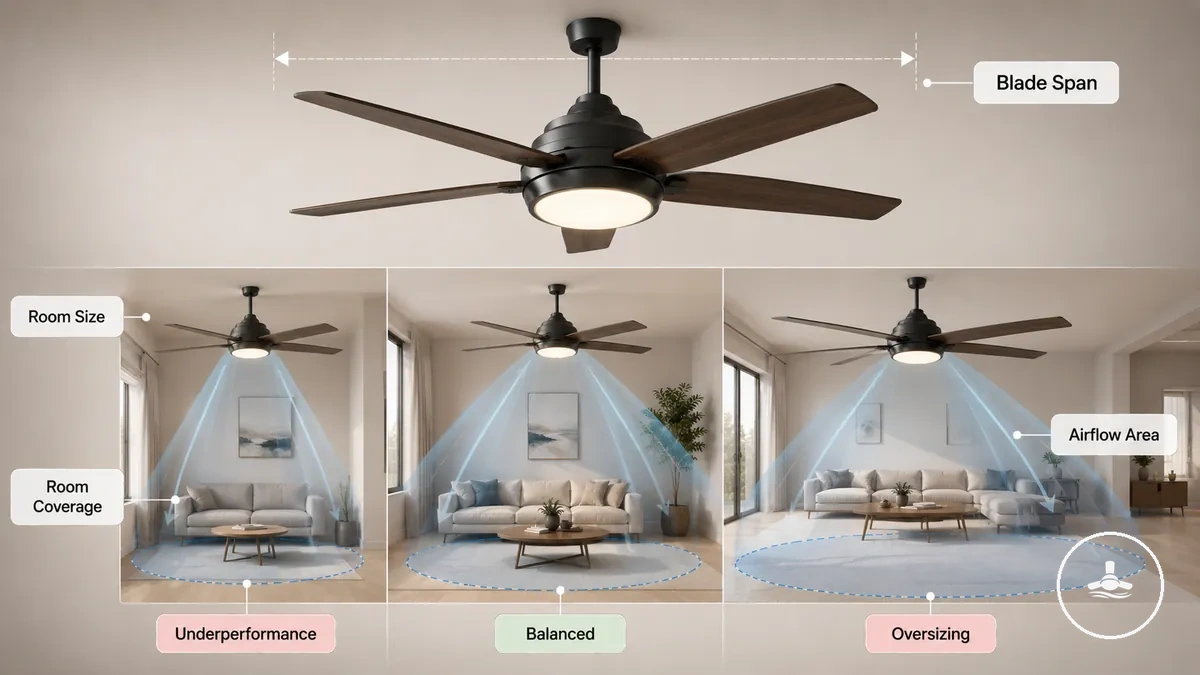
Room shape, ceiling height, furniture placement and fan position can change how evenly air movement reaches the occupied area. A smaller fan may leave wider areas with weaker air movement, while an oversized fan can create clearance or visual-fit problems. Because room layouts and manufacturer designs differ, use sizing guidance as a starting filter rather than a universal guarantee.
For broader size and room coverage guidance, compare blade span with the room before making a final decision. The table separates physical sizing from the performance question that follows.
| Blade-span condition | What it means for fit | Decision |
|---|---|---|
| Small relative to the room | May cover less of the occupied area and can require higher speeds to achieve the desired effect. | Check the maker’s room-size guidance and the actual airflow rating before keeping it. |
| Proportional to the room and ceiling area | Physical sweep is more likely to suit the available space. | Continue to airflow, clearance and lighting checks. |
| Large relative to the available ceiling area | May create clearance, placement or visual-fit conflicts. | Reject it if the required clearances or placement cannot be met. |
Ceiling height, mount type, and clearance
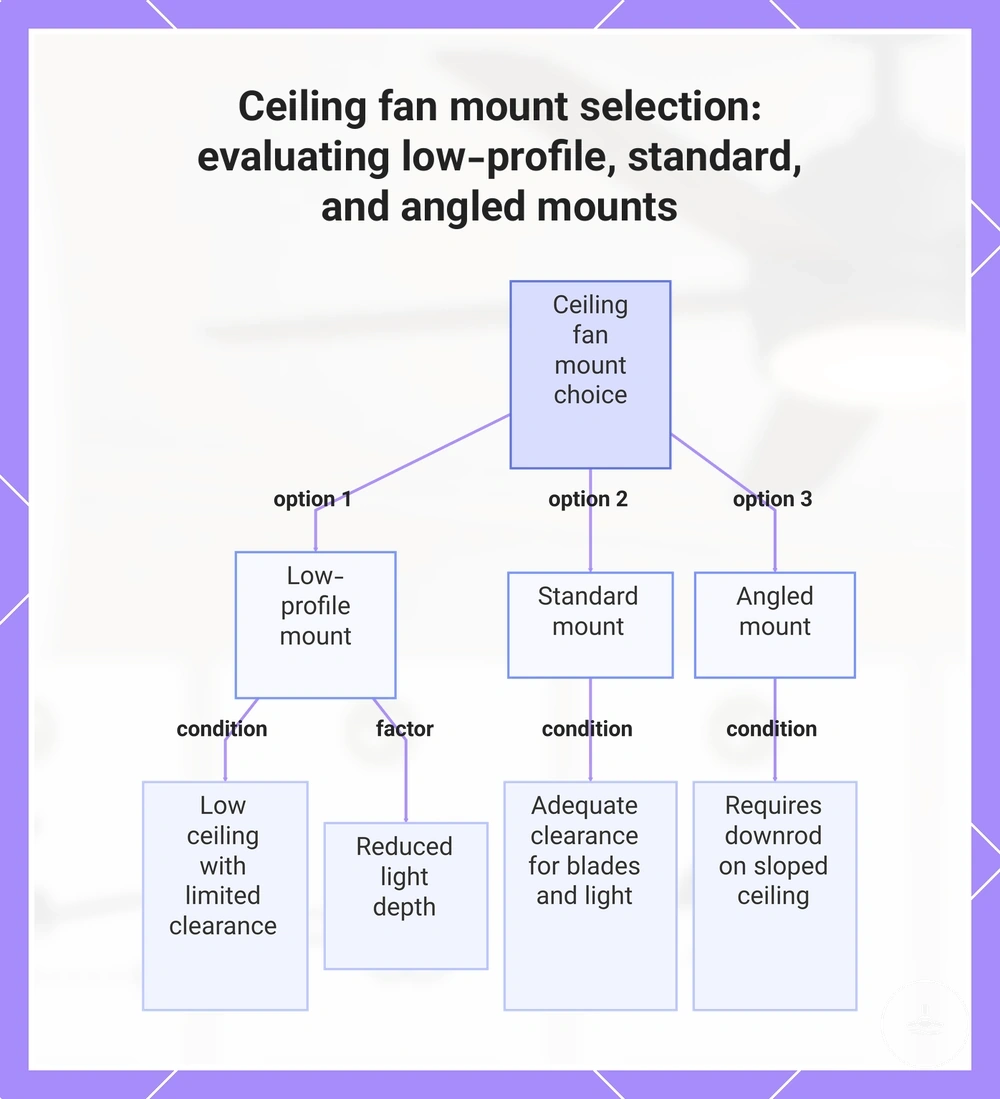
Ceiling height, ceiling angle, mount type and the fan-light’s total drop determine whether the fixture can physically suit the space. Choose the mount from the ceiling condition first, then verify the exact fan model supports that mounting arrangement.
Use the three mount profiles below as buying categories. Final clearances, downrod lengths and supported ceiling angles are model-specific, so verify them in the product’s installation instructions rather than assuming a universal value.
Mount compatibility matrix
| Ceiling condition | Mount profile to consider | Buying check |
|---|---|---|
| Low or clearance-constrained ceiling | Low-profile / flush mount | Check total fixture depth and required blade/light clearances. |
| Standard flat ceiling with adequate vertical space | Standard mount | Confirm the installed drop and clearance suit the room. |
| Sloped or angled ceiling | Angled mount and, where required, a compatible downrod | Confirm the fan’s supported slope range and mounting hardware for that exact model. |
This is a buying-stage fit check, not installation guidance. Use the selected model’s instructions for mounting limits, required hardware and final clearances.
The chart below visualises the same relationship between ceiling condition and mount profile.
Airflow performance and comfort checks
Airflow performance should be matched to the room’s comfort demand rather than inferred from blade count, blade span or appearance. Among physically suitable fans, compare airflow rating, usable speed range and operating sound together.
CFM means cubic feet per minute and expresses volumetric airflow; some Australian listings may use metric airflow units instead, so compare like-for-like units. A higher airflow figure indicates more air movement under the stated test conditions, but it does not by itself tell you whether the fan will feel comfortable, quiet or well matched to the room. Speed range changes how finely air movement can be adjusted, while motor and blade design influence how the fan delivers that airflow. Reversible operation changes airflow direction for seasonal use; it does not create extra heating or cooling capacity.
Use the comparison below to separate air movement from the attributes that shape comfort and control. For more detail on airflow performance, compare like-for-like airflow units and usable speeds before narrowing the shortlist.
| Attribute | Value or meaning | Buying implication |
|---|---|---|
| Airflow rating | CFM or another volumetric-flow unit | Use it to compare air movement, but only after matching the fan to the room and comparing equivalent units. |
| Speed range | Number and spread of selectable fan speeds | More usable steps can make comfort adjustment finer across changing conditions. |
| Motor and blade design | System that produces and directs airflow | Judge the complete fan’s performance rather than assuming motor type, blade count or blade span alone predicts airflow. |
| Operating sound | Noise produced at the speeds you expect to use | Give it extra weight in bedrooms, studies and other low-disruption spaces. |
| Reversibility | Ability to reverse airflow direction | Useful when seasonal air circulation is a priority; verify how reversal is controlled on the specific fan. |
CFM, speed range, and room comfort
CFM and speed range answer different questions: CFM describes airflow quantity, while speed settings describe how that airflow can be adjusted. A higher CFM figure is useful only when the fan also fits the room and the available speeds suit how the space is used.
Control granularity matters because the highest setting is rarely the only useful one. Compare the fan at the speeds you expect to use, especially where lower noise or gentler air movement matters. Do not treat motor type as a shortcut for performance; use the finished fan’s airflow, control and sound information together.
| Attribute | What it tells you | What to decide |
|---|---|---|
| CFM / airflow | How much air the fan moves under the stated test conditions | Is the airflow appropriate for the room and comfort goal? |
| Speed range | How many operating levels are available | Are there useful low, medium and high settings for the way the room is used? |
| Control granularity | How precisely speed can be changed | Do you need fine adjustment for sleep, work or changing weather? |
| Operating sound | How intrusive the fan may be at practical speeds | Is the sound level acceptable in the room where the fan will run? |
Lighting output and LED feature checks
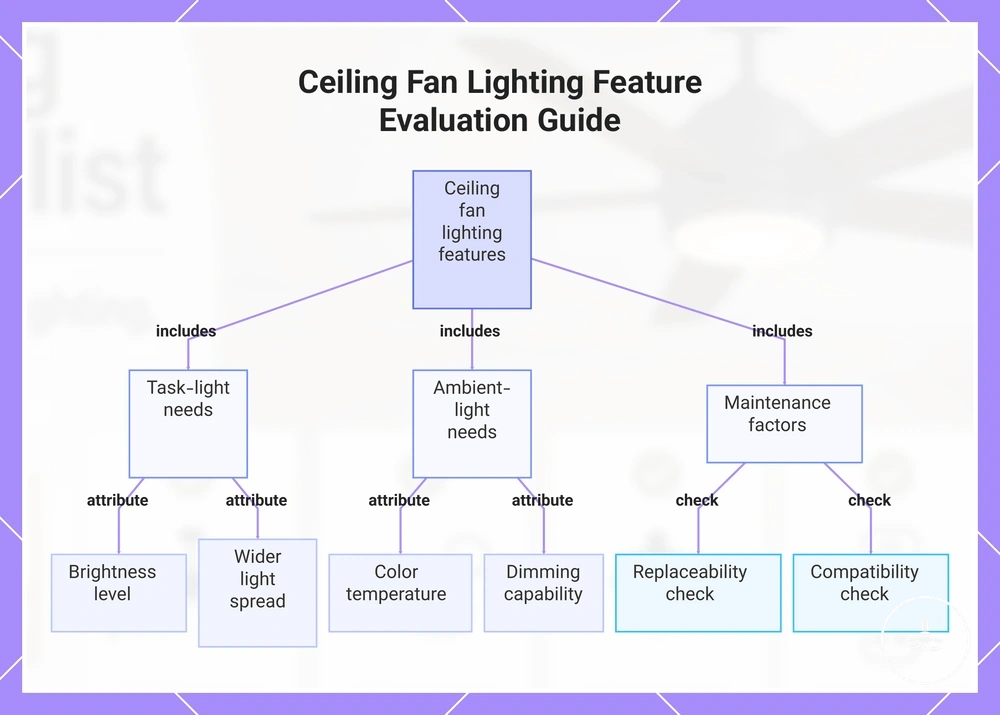
Treat the light as part of the fan system, not as a separate lamp. The useful combination is the one whose brightness, colour temperature, light spread, dimming and maintenance design fit the room’s lighting role.
Brightness is measured in lumens, while colour temperature is measured in kelvins (K). Light spread describes how broadly and evenly the fixture distributes illumination. Dimming changes usable light output for different activities, and the choice between an integrated LED module and replaceable bulbs affects future replacement flexibility.
Use the checklist below before narrowing the shortlist. For more detailed lighting features to compare, match task-light needs to lumen output and spread, while ambience needs usually place more weight on colour temperature and dimming.
- Brightness: compare lumen output with the room’s visibility needs; wattage is power use, not a direct brightness measure.
- Colour temperature: choose the light tone for the room’s activity and ambience rather than treating “cooler” as automatically brighter.
- Light spread: check diffusion and coverage so usable light reaches the area that needs it.
- Dimming: confirm the LED system and its supported control actually provide dimming if adjustable light is important.
- Replaceability: decide whether an integrated LED module or a replaceable-bulb system better matches your maintenance preference.
- Compatibility: verify the light system, driver/bulb and control method are designed to work together.
The chart below groups these checks by task lighting, ambience and maintenance so the lighting decision can be read as one system.
Brightness, colour temperature, and light spread
Brightness, colour temperature and light spread describe different lighting attributes. Lumens describe light output; kelvins describe light colour; and the diffuser/fixture design influences how evenly that light reaches the room.
Use the ranges below as common LED colour-temperature categories, not as universal room prescriptions. Required lumen output depends on room size, other light sources, surface reflectance and the task being performed.
| Lighting attribute | Value or category | Selection meaning |
|---|---|---|
| Brightness | Lumens (lm) | Higher lumen output means more emitted light. Compare lumens with the room’s actual visibility need rather than using wattage as a brightness proxy. |
| Warm colour temperature | About 2700–3000 K | Produces a warmer, more relaxed light tone that often suits bedrooms and living spaces when ambience is important. |
| Neutral colour temperature | About 3500–4000 K | Produces a more neutral white appearance that can suit general-purpose visibility. |
| Cool/daylight colour temperature | About 5000–6500 K | Produces a cooler white appearance; use it when that colour character suits the activity and room preference. |
| Light spread | Diffuser and beam distribution | Look for coverage that reaches the intended area without excessive glare or dark zones. |
Dimmable LEDs and bulb compatibility
Dimming works only when the parts in the lighting path are compatible: the LED module or bulb, its driver/electronics and the selected control method. A “dimmable LED” label does not guarantee compatibility with every dimmer or fan control.
Integrated LED modules can provide a compact, purpose-built light system, but replacement may require a model-specific module or driver. Replaceable-bulb designs provide more bulb choice only when the socket type, size, wattage limit and dimming requirements are met. Check the exact fan documentation before treating either design as automatically more maintainable.
LED compatibility matrix
| System element | Required condition | Why it matters |
|---|---|---|
| Integrated LED | Module and driver must be supported by the fan design. | Replacement options can be model-specific. |
| Replaceable bulb | Socket/base, physical size and permitted electrical rating must match the fixture. | A bulb that fits physically is not necessarily electrically or thermally suitable. |
| Dimming | LED source, driver and control method must all support dimming together. | Incompatible combinations can cause poor dimming, flicker or no dimming. |
| Fan/light control | The fan’s control system must support the intended lighting functions. | Separate light adjustment is available only when the fan/control architecture provides it. |
Control options for fan speed and light adjustment
Control choice is a compatibility and usability decision. Compare where the control is accessed, whether it depends on wall wiring, and whether the fan and light can be adjusted independently. The best control is the one the selected fan actually supports and that matches daily use.
A remote provides access from around the room when the fan system supports it. A wall control gives a fixed control point but can depend on wiring and installation conditions. Smart or app control adds connected operation only when the fan’s control system supports those functions. Do not assume that one control type can be added to every fan after purchase.
The comparison below focuses on access, compatibility and independent fan/light adjustment. For more detailed control options, verify the exact functions supported by the shortlisted model.
| Control method | Main advantage | Compatibility check |
|---|---|---|
| Remote control | Access from different positions in the room | Confirm the receiver/control system is included or explicitly supported and check whether fan speed and light functions are separate. |
| Wall control | Fixed, always-located control point | Confirm the fan supports the wall-control method and that the installation conditions suit it. |
| Smart/app control | Connected control and, on supported models, automation or voice-assistant integration | Check the fan’s supported platform and functions rather than assuming generic smart compatibility. |
| Independent fan/light control | Separate airflow and lighting adjustment | Prioritise this when the room frequently needs different fan speeds and light levels. |
Remote, wall, and smart control suitability
Remote, wall and smart controls solve different access needs. Suitability depends on supported functions, installation conditions and how often you change fan and light settings, not on the control label alone.
Use the matrix as a best-fit guide. It narrows the control profile to investigate; the specific fan still has to support that control method and the functions you expect.
| Control type | Best fit when | Check before buying |
|---|---|---|
| Remote | You want convenient access from a bed, sofa or different parts of the room. | Speed steps, light switching/dimming, receiver compatibility and replacement-remote availability. |
| Wall control | You prefer a fixed control point and the installation supports the required wiring/control arrangement. | Fan compatibility, available fan/light functions and installation requirements. |
| Smart/app control | You specifically want connected operation and the fan supports the desired platform/functions. | Supported app/platform, network requirements and which fan/light functions are actually controllable. |
Style, finish, and fixture appearance checks
Style and finish should enter the decision after physical fit and function are acceptable. Use appearance to choose between suitable options, not to justify a fan that fails airflow, lighting, control or clearance needs.
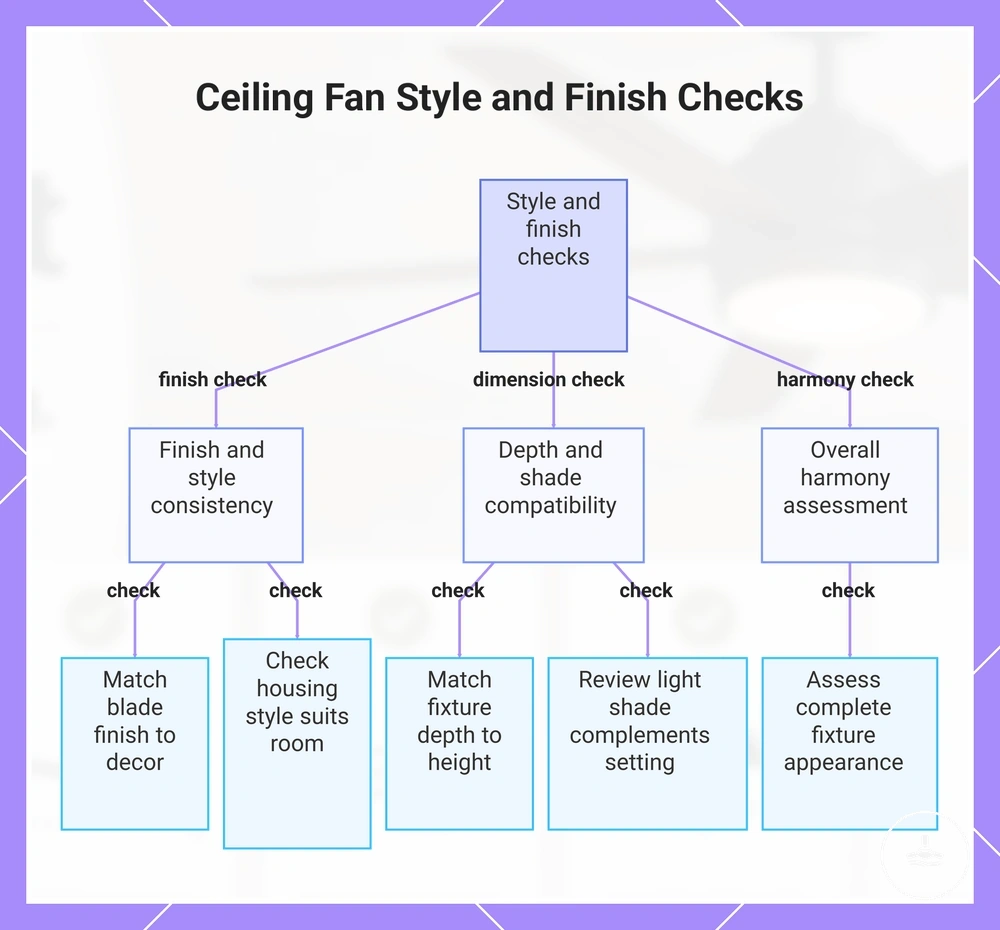
Blade finish, housing form, light shade and fixture depth shape the visual fit. Fixture depth is both an appearance attribute and a physical-fit attribute, so check it against ceiling height before treating it as purely decorative. A coordinated finish can support the room’s design, but it does not compensate for weak performance or incompatible controls.
Use this visual-fit checklist only after the functional shortlist is established.
- Blade finish: compare it with the room’s existing materials and colour palette.
- Housing style: choose a form that fits the room without overpowering the ceiling area.
- Light shade: check both its visual character and how it affects perceived light distribution.
- Fixture depth: keep it within the room’s practical clearance constraints.
- Whole-fixture balance: use appearance as a tie-breaker between options that already meet the room’s functional requirements.
The chart below groups finish, fixture dimensions and room harmony as the final visual-fit check.
Room-use priorities before shortlisting
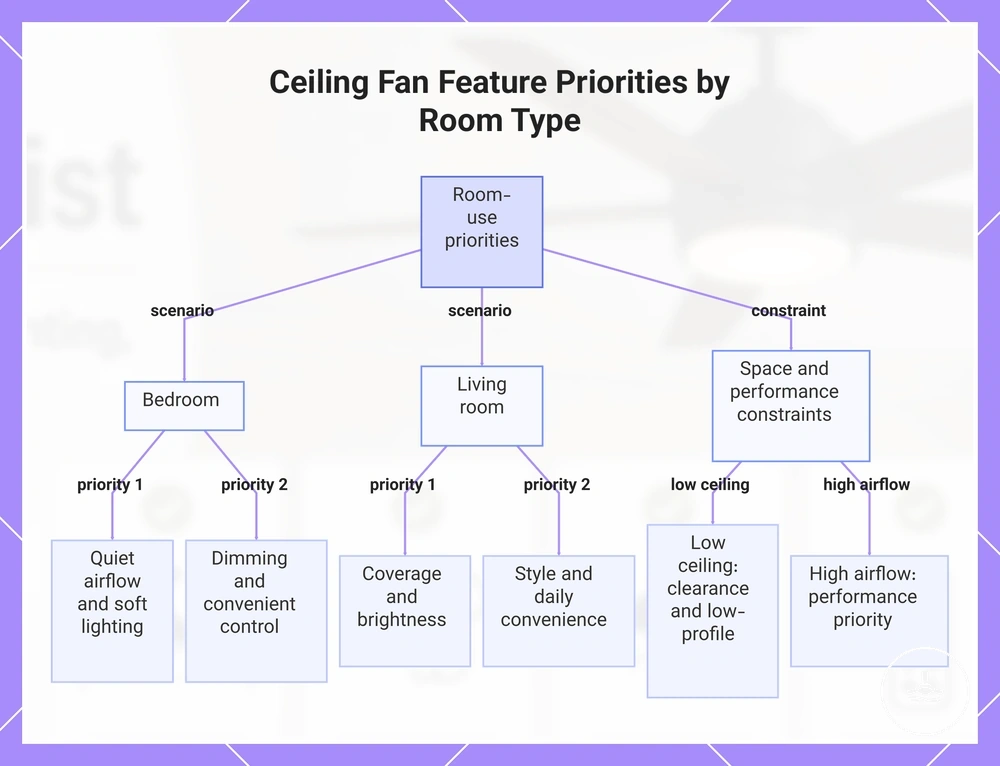
Room use changes which otherwise-valid features become essential. Turn the room’s main constraint into a shortlist filter: quiet operation for low-disruption use, clearance for low ceilings, airflow for demanding spaces, or control flexibility when settings change frequently.
In a bedroom, give more weight to controllable lower-speed airflow, low-disruption operation, dimming and convenient access to controls. These priorities remain conditional on physical fit: a quiet or dimmable model is still unsuitable if its mount, clearance or size does not suit the room.
In a living or shared room, room coverage, usable light output and everyday control convenience often carry more weight. Where airflow demand is high, move airflow performance ahead of finish; where ceiling height is constrained, move clearance and low-profile fit ahead of decorative features.
Use the scenario matrix to translate the room’s job into a candidate profile. For more specific best picks by need, start from the room constraint rather than from a product name.
Room-priority matrix
| Room scenario | Make essential | Keep secondary |
|---|---|---|
| Bedroom / low-disruption use | Controllable airflow, acceptable operating sound, dimming, convenient controls | Decorative extras that do not improve rest or usability |
| Living or shared room | Room coverage, useful light output, practical controls | Finish upgrades until function is confirmed |
| Low ceiling | Clearance, low-profile fit, shallow overall drop | Features that increase fixture depth without solving a room need |
| Higher airflow demand | Airflow rating, usable speed range, room fit | Blade count or appearance as performance proxies |
| Flexible day/night use | Independent fan/light adjustment, dimming and convenient control access | Connected features that do not add a function you will use |
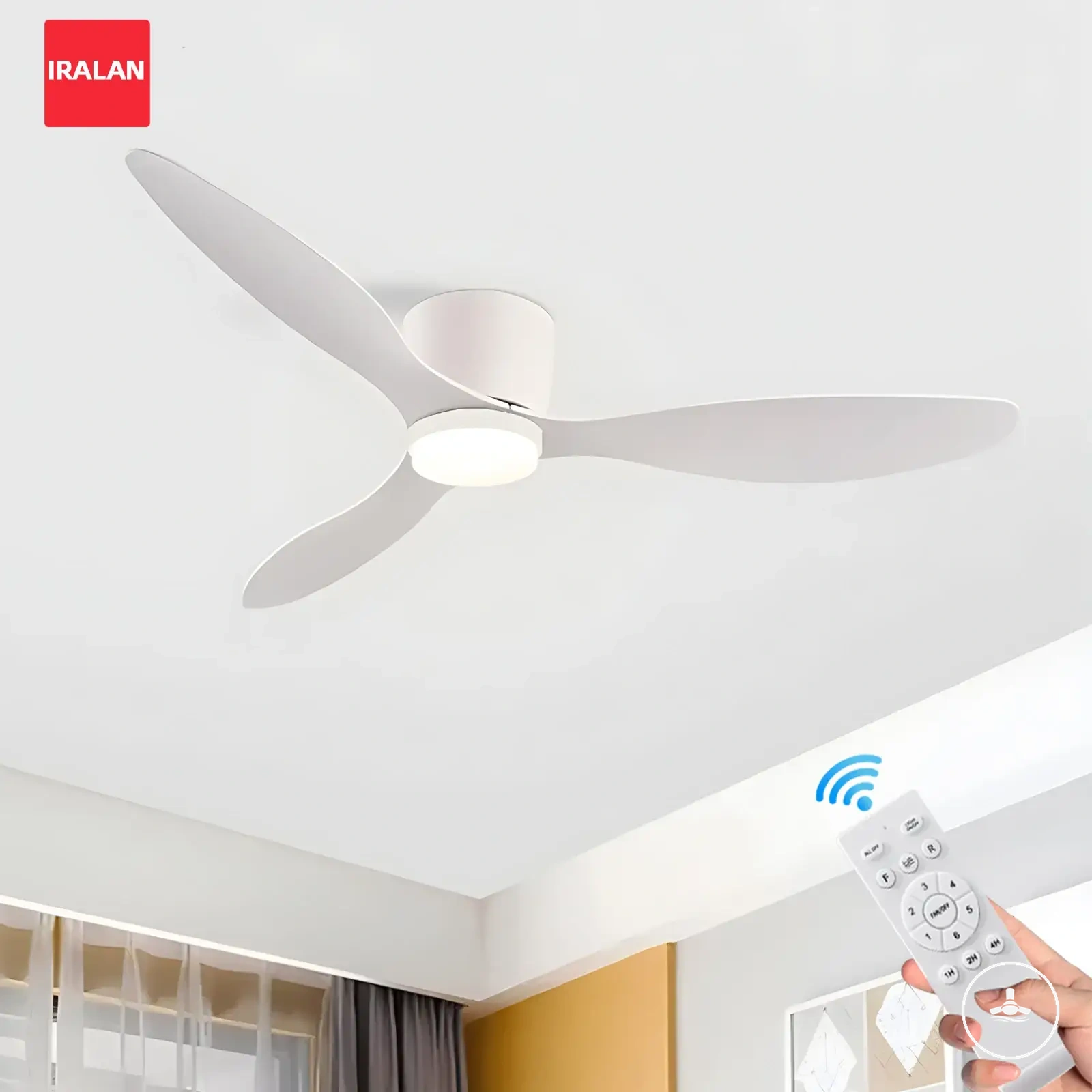
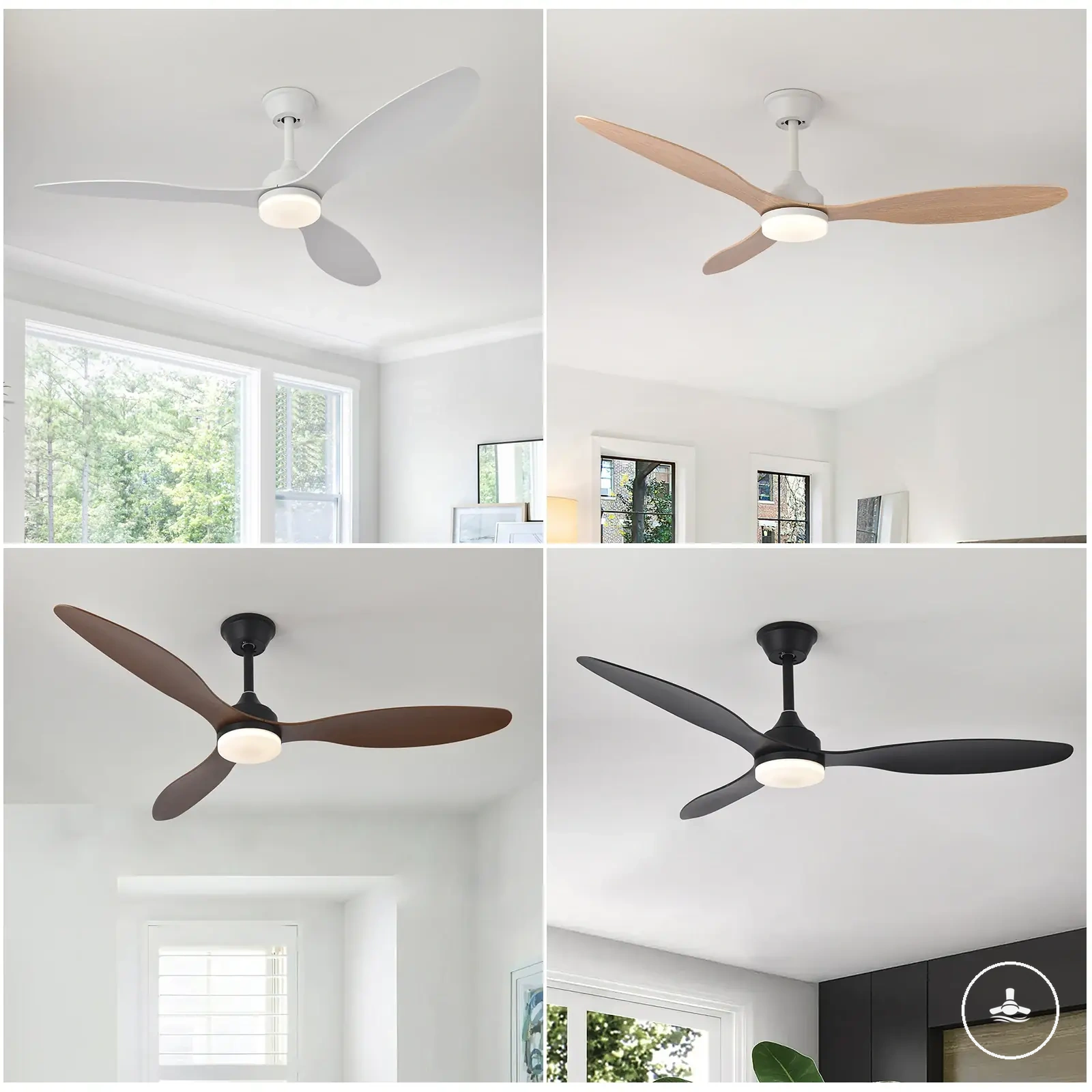
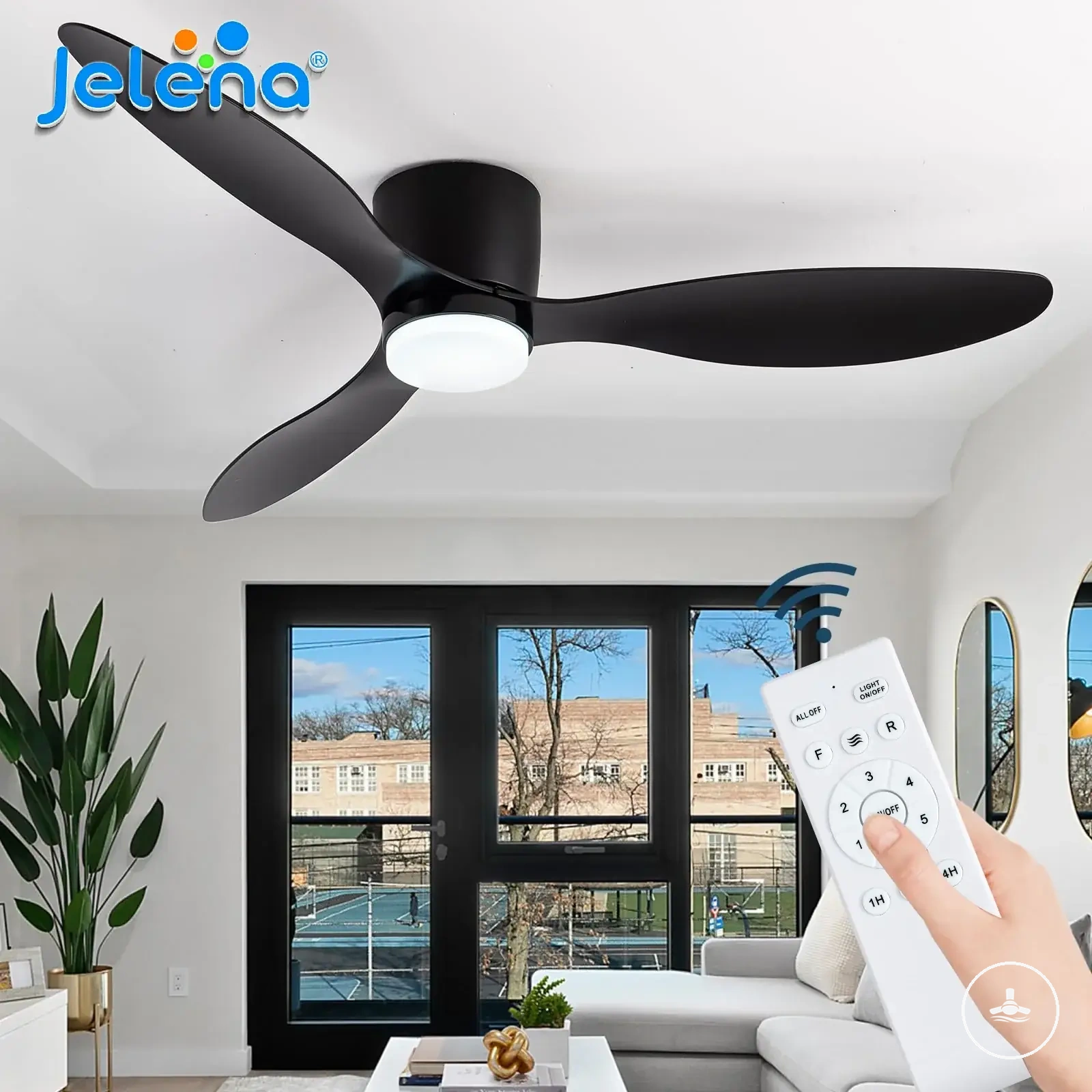
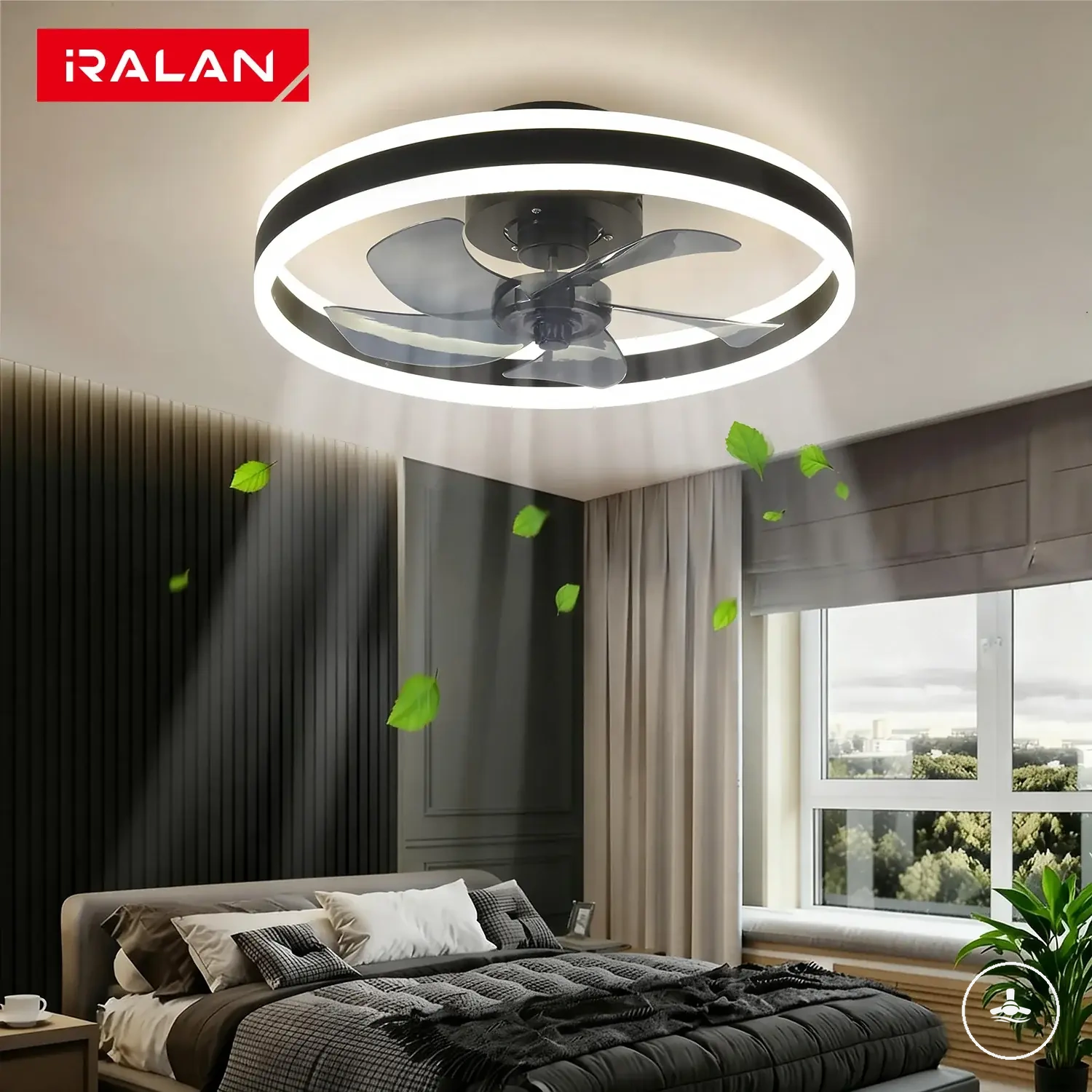
The existing product examples below can be used after the room-priority and compatibility filters. Treat them as referral examples, not as proof of fit: verify the current product details, supported controls, dimensions and mounting requirements before purchase.
The chart below visualises how room constraints change feature priority before a product shortlist is formed.
Price, value, and feature trade-offs
Price becomes meaningful only after an option passes the fit and function checks. Value is the useful room outcome you gain for the extra cost, not the number of features on the product page.
An airflow-related upgrade is valuable when it materially supports the room’s air-movement need; a lighting upgrade is valuable when it improves useful brightness, dimming or maintenance flexibility. Do not pay more for a motor label, LED label or feature count without checking the finished fan’s actual performance and compatibility.
Controls, finish, replacement flexibility and installation conditions can also change value. Advanced controls are worthwhile when they simplify the way the fan and light are used; a finish upgrade is mainly aesthetic; and replacement flexibility matters when long-term light maintenance is a priority. A fan that requires additional compatible mounting or control work may carry costs beyond the product price, so confirm installation requirements before treating the sticker price as the total decision.
The value matrix below compares stable feature trade-offs without making live price, discount or seller claims. Use these price and value factors to decide whether an upgrade solves a real need.
| Value factor | Worth prioritising when | Trade-off to check |
|---|---|---|
| Airflow performance | The room has a genuine air-movement or coverage need. | Do not pay for a higher headline figure if the fan is physically unsuitable or you will rarely use that performance. |
| LED system | Brightness, dimming, colour control or maintenance design solves a real lighting need. | Check whether the light source is replaceable and whether dimming/control compatibility is model-specific. |
| Controls | Independent fan/light adjustment or convenient access improves daily use. | More control features can add compatibility or setup requirements. |
| Finish and styling | Several options already meet the functional requirements. | Aesthetic upgrades add little functional value when performance is unchanged. |
| Installation fit | The fan matches the ceiling and intended control arrangement without unexpected compatibility work. | Extra mounting, control or fitting requirements can change the overall cost and complexity. |
A higher-priced option is easier to justify when the additional feature directly solves the room’s main constraint. If an upgrade does not improve fit, comfort, visibility, control or maintenance for your use case, treat it as optional rather than automatically “better”.
Use the existing product examples below only after the value matrix has narrowed the feature profile. Current marketplace details can change, so verify the product page rather than assuming a listed option still has the same price, availability or configuration.
Buying mistakes that create fit, lighting, or control problems
Most buying problems start when one attractive attribute is judged in isolation. Use every shortlisted feature as a relationship check: size with room, mount with ceiling, airflow with comfort need, lighting with room use, and controls with the fan’s supported system.
The highest-risk misses are blade span, clearance, airflow, light output, dimming compatibility, control compatibility and room priority. A fan can look suitable yet still fail the room if any one of these attributes conflicts with the space or the way the fan will be used.
The diagnostic table connects each common mistake to the likely problem and the buying-stage check that prevents it. Installation, wiring and electrical-safety procedures remain outside this buying checklist.
Buying-error diagnostic table
| Missed check | Likely problem | Prevention check |
|---|---|---|
| Blade span vs room | Poor coverage or physical/visual oversizing | Measure the room and compare blade span with the maker’s sizing guidance, then check airflow separately. |
| Clearance and total drop | Unsuitable fit for the ceiling or room | Check ceiling height, mount type, light depth and required clearances together. |
| Airflow performance | Comfort does not match expectations | Compare the actual airflow rating and usable speed range instead of judging by blade count or appearance. |
| Light output and spread | Room feels too dim, harsh or unevenly lit | Compare lumens, colour temperature, diffusion/spread and dimming against the room’s lighting role. |
| Dimming / LED compatibility | Flicker, limited dimming or difficult replacement | Confirm the LED source, driver/bulb and control method are compatible. |
| Control suitability | Daily operation is inconvenient or expected functions are unavailable | Verify remote, wall or smart support and whether fan/light controls are independent. |
| Room priority | Feature-rich fan solves the wrong problem | Make the room’s main constraint a must-have filter before style or price. |
The chart below groups the same mistakes by fit, lighting and control consequences for a final visual cross-check.